Apple Releases watchOS 7.0.2 With Battery Drain Fix
Apple today released watchOS 7.0.2, the second update to the watchOS 7 operating system that came out in September. watchOS 7.0.2 comes more than two weeks after the release of watchOS 7.0.1, a bug fix update.
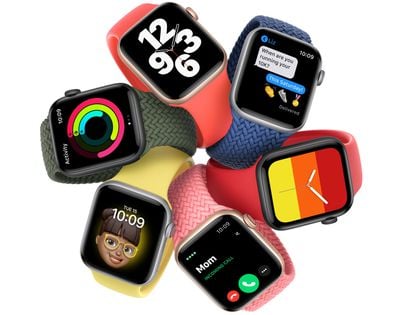
watchOS 7.0.2 can be downloaded for free through the dedicated Apple Watch app on the iPhone by going to General > Software Update. To install the new software, the Apple Watch needs to have at least 50 percent battery, it needs to be placed on a charger, and it needs to be in range of the iPhone.
According to Apple's release notes, watchOS 7.0.2 addresses a bug that could cause the battery in the Apple Watch to drain more quickly, which has been a persistent complaint since watchOS 7 was released.
watchOS 7.0.2 contains improvements and bug fixes, including:
- Addresses an issue that could cause the battery to drain more quickly
- Resolves an issue that prevented some users from accessing the ECG app in regions where it is available
For more on everything that's new in watchOS 7, make sure to check out our watchOS 7 roundup.
Popular Stories
Apple today released watchOS 27.2, the first major update to the watchOS 27 operating system.
watchOS 27.2 can be downloaded through the Settings app on the watch or the Apple Watch app on a connected iPhone. Software can only be installed when the Apple Watch is on the charger and has over 50 percent battery.
According to Apple's release notes, watchOS 27.2 introduces new Siri AI...
With the first beta of watchOS 27.3, Apple is introducing new Audio Intelligence features it previewed for the Apple Watch Series 12 and Ultra 4 earlier this year. Powered by the S11 chip, Audio Intelligence includes Live Rewind, Siri Recap, Sound Recognition, and Shazam Music Recognition.
Sound Recognition and Shazam are already on the watch, but Live Rewind and Siri Recap are now available ...
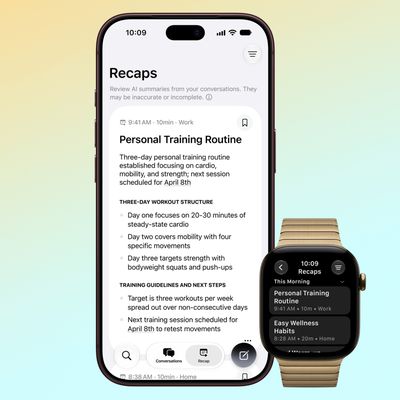
With the watchOS 27.3 beta, Apple started testing Siri Recap. Siri Recap lets the Series 12 and Ultra 4 Apple Watch models listen to conversations to generate a brief summary of what was discussed. Actual audio is sectioned off from apps, Apple, and the rest of the OS, and then discarded after a summary is generated.
It's a privacy-forward way of tracking what's going on around you, but...