Apple CEO Tim Cook: 'Demand Was Stronger Towards iPhone 7 Plus Than We Expected'
Apple did not expect so many people to choose the iPhone 7 Plus over the iPhone 7, according to statements made by Apple CEO Tim Cook during today's second quarter earnings call.
"One of the things we didn't get right was the mix between the iPhone 7 and iPhone 7 Plus," said Cook. "Demand was much stronger towards the iPhone 7 Plus than we expected." Apple's misestimation of the popularity of the iPhone 7 Plus led to some shortages of the bigger-screened device during the December quarter.
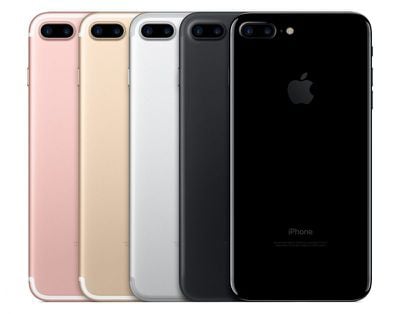
Apple sold the highest number of Plus models in the first half of fiscal 2017 than ever before, higher than the iPhone 6 and 6s lineups. Cook says it took Apple a while to "bring the iPhone 7 Plus into balance," something that occurred early in the second quarter.
According to Cook, Apple learns from its mistakes. "Every time we launch something, we learn something, and we brush up our models and apply everything we learn for next time," he said.
Popular Stories
Apple is launching five new products on Friday, November 6, following pre-orders that opened last week, including its first touchscreen MacBook Pro models.
The following new products will be available from today:
iPad mini with OLED display and A20 Pro chip
iMac with M6 chip
14-inch MacBook Pro with M6 chip
14-inch MacBook Pro with OLED touchscreen
16-inch MacBook Pro with OLED...
Apple plans to merge the iPhone's Action button with the Camera Control starting next year, according to the leaker known as "Instant Digital."
In a new post on Weibo, the leaker claimed that a single press of the combined button would open the camera, while a long press would trigger the function assigned to the Action button. They explicitly clarified that the dedicated Action button would ...
Apple is sending email surveys to some iPhone Duo buyers to get feedback on display size, crease, under-display camera, and other features.
The first question asks why the buyer chose the iPhone Duo now, with answers like "I wanted to try Apple's first foldable," "It was an impulse purchase," and "I expect smartphone prices to increase."
Other questions ask about the size of the iPhone...