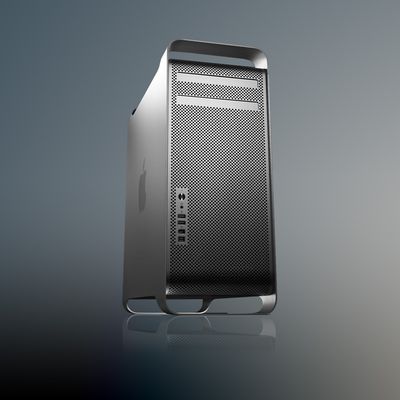
These kits will provide plans for institutions to create their own PowerMac G5 clusters with off-the-shelf components. The Virginia Tech PowerMac G5 cluster currently ranks #3 in the world based on preliminary results. Final rankings are due in mid November.
Techweb.com reports that, amongst others, the National Security Agency and the Argonne weapons laboratory have expressed interest in the plans. Previous comments from Dr. Srinidhi Varadarajan noted that we could "expect to see a lot more G5 clusters."
Apple announced the original Mac Pro 20 years ago today, with the anniversary landing five months after the company discontinued the machine for good.
On August 7, 2006, Apple unveiled the first Mac Pro, powered by two dual-core 64-bit Xeon processors that Apple said made it up to twice as fast as the Power Mac G5 it replaced. It was the last Mac to complete Apple's transition from PowerPC...
Sunday August 23, 2026 11:19 am PDT by Tim Hardwick
Apple's upcoming foldable iPhone Ultra is winning over the few people who have had hands-on time with the device, though the camera setup may leave some users wanting, according to Bloomberg's Mark Gurman.
Writing in his latest Power On newsletter, Gurman says people who have used the device – which is reportedly referred to internally as the iPhone Ultra – like how it fits in your...
It is now late August, meaning that Apple's annual iPhone event is just around the corner. Below, we take a look at when the event might be held this year.
This September, Apple is expected to unveil the iPhone 18 Pro, iPhone 18 Pro Max, and an all-new foldable iPhone that will reportedly be named the iPhone Ultra. The regular iPhone 18, a lower-end iPhone 18e, and the iPhone Air 2 are not...