

How to Use the 'Hey Siri' Command With AirPods (2nd Generation) and AirPods Pro - MacRumors
Skip to Content

How to Use the 'Hey Siri' Command With AirPods (2nd Generation) and AirPods Pro

by

Apple refreshed its AirPods wireless earbuds in March 2019 and released Airpods Pro later the same year, adding a number of new features that set the two models apart from the original AirPods. One of those features is the ability to summon Siri entirely handsfree, allowing you to speak a variety of commands and ask questions.
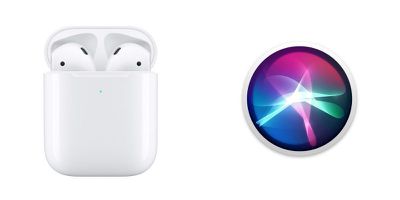
airpods 2 hey siri
With the first-generation AirPods, you had to use the default double tap gesture on the left or right earpiece to activate ‌Siri‌ before you could start talking. But with second-generation AirPods and AirPods Pro, all you have to do is say "Hey ‌Siri‌" and the digital assistant will be ready to respond to the words that follow.

You can still use the double-tap gesture on the new AirPods or set the press-and-hold gesture on Airpods Pro to summon ‌Siri‌ if you prefer, but you should find the immediacy of using the "Hey ‌Siri‌" invocation a lot more convenient if you tend to be working with your hands when you're wearing Apple's wireless earbuds.

‌Siri‌ can be used with your AirPods to control your music, ask queries, make phone calls, and check the status of your AirPods. At the bottom of this article is a quick list of commands to get you started.

Note that these commands won't do anything if your iOS device doesn't have a network connection. It's an odd requirement, but unlike Voice Control, ‌Siri‌ needs an internet connection even for basic playback commands.

  • "Turn volume up/down" or "Raise the volume by 50 percent."
  • "Play" or "Pause music."
  • "Resume music."
  • "Play [Song Name]" or "Play [Podcast Name]."
  • "Play my Favorites List."
  • "Play my New Music List."
  • "Skip back/forward" or "Skip back/forward X seconds/minutes."
  • "Skip to the next song."
  • "How is the battery life of my AirPods?"

Related Roundup: AirPods 4
Buyer's Guide: AirPods (Caution)
Related Forum: AirPods

Popular Stories

macOS iOS 27 Siri App Feature

Apple's Secret Siri Interface Buried in macOS 27 Beta: How to Enable

Monday July 20, 2026 4:09 am PDT by
Apple appears to be testing a hidden popover interface for Siri AI in the macOS 27 Golden Gate beta that surfaces Writing Tools and contextual actions whenever the user selects some text. Spotted by a member of Reddit's r/MacOSBeta community, the floating icon appears at the top-left of the selected text, expanding when the pointer hovers over it to a compact popover of the tools and...
macOS iOS 27 Siri App Feature

macOS 27 Beta Hides Trippy Siri 'Voice Pad' Interface With 13 Voices

Thursday July 23, 2026 3:53 am PDT by
For macOS 27 Golden Gate, Apple appears to be working on an immersive new interface for choosing Siri AI's voice, based on findings in the latest beta. MacRumors forum member "mactracker" has shared what they call a hidden "voice pad" in the macOS 27 beta 4, which was released on Monday. When enabled, the interface replaces the System Settings menu for Siri's voice options with a nearly...

iphone 16 teal

Siri Settlement Approved: Apple to Pay Owners of Some iPhone Models

Friday July 24, 2026 8:10 am PDT by
In May, Apple agreed to pay $250 million to settle a U.S. class action lawsuit over Siri AI's delayed launch, and eligible iPhone users could receive up to a $95 payout. Apple's settlement has now received preliminary approval from a judge, according to a July 17 court document. However, there is no settlement website yet, and it may take months before eligible customers can begin submitting ...












































