

If you recently acquired a pair of AirPods Max, you probably know that they have a battery life of up to 20 hours, but you may have looked at the physical controls and been left wondering how to turn off the headphones in order to preserve battery when they're not in use.
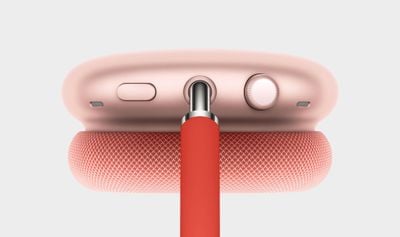
Well, the truth is that the title of this article is a bit of a misnomer, because Apple hasn't included an on/off function by design. That's right – you can't manually switch off AirPods Max. Instead, Apple has built an "ultralow power state" into the headphones that automatically activates under certain conditions. So how does it work?
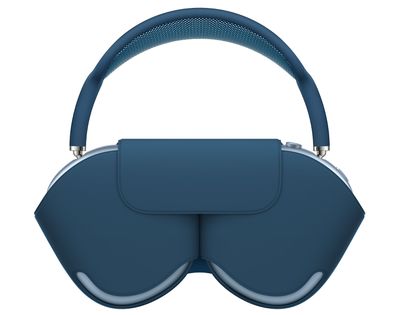
There are two ways that you can enable this automated power-down feature. One is to use the slim Smart Case that comes with your AirPods Max. Like Apple's Smart Cover for iPads, the AirPods Max case includes an integrated magnet, which when detected by the headphones, automatically puts them in their ultralow power state to help to preserve charge when they're not in use.
For this reason, it's a good idea to keep the Smart Case with you when you're using the headphones out and about. If you forget the case though, all is not lost.
The second way to enable the down-regulated energy mode is to take the headphones off and set them down somewhere where they won't be moved. If you set your AirPods Max down and leave them stationary for 5 minutes, they go into low power mode. After 72 stationary hours out of the Smart Case, your AirPods Max go into a lower power mode that turns off Bluetooth and Find My to preserve battery charge further.
AirPods Max have the optional Automatic Head Detection feature enabled by default, which helps them recognize when they're being worn, so it's probably a good idea to keep this setting enabled so that they power down quicker when you're not using them.














































