

Apple's latest iPhone 16 models include a new Camera Control button (located on the lower right-hand side when holding the phone in portrait mode). The new button aims to make it easier to adjust photography settings when shooting with the iPhone in both portrait and landscape orientation.
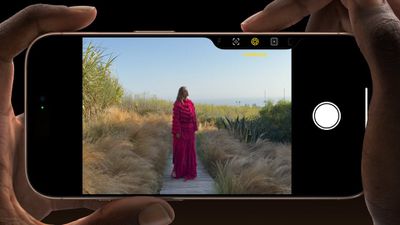
When you press down on the Camera Control button it brings up the Camera app, which is where its additional functionality lays hidden, but it can be easily invoked with light press gestures.
A light press on the Camera Control button engages a haptic click to bring up settings like zoom and exposure, which you can adjust with a swipe, while a double light press lets you switch between all these settings, selecting individual options with a further light press.
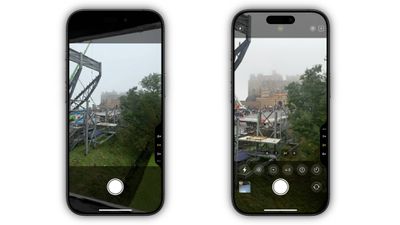
By default, using the Camera Control button in the Camera app engages Clean Preview mode. This option hides everything in the Camera UI when the Camera Control button is lightly pressed, so you don't need to worry about accidentally touching camera lens adjustments while shooting. Another advantage is that it removes all distractions from the screen, leaving only the image — perfect for composing a shot.
What if you do want to have access to all the various Camera app adjustments while also using Camera Control? Fortunately, there's an easy way to disable Clean Preview and make the other Camera tools visible. The following steps show you how it's done.
- On your iPhone, open Settings.
- Tap Camera.
- Tap Camera Control.
- Toggle off the switch next to Clean Preview.
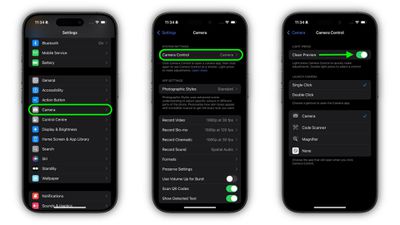
That's all there is to it. To reinstate Camera app features that are hidden by a light press on the Camera Control button, simply toggle back on the Clean Preview option in Settings ➝ Camera ➝ Camera Control.
















































