

iPad Mini 6: How to Hard Reset or Shut Down - MacRumors
Skip to Content

iPad Mini 6: How to Hard Reset or Shut Down

by

Apple's 2021 iPad mini features an edge-to-edge display with no Home button included and Touch ID built into the Power button instead. The lack of a Home button has resulted in some re-mapped gestures and features, with Apple introducing the restart, shut down, and force restart methods that are common to other iPads with no Home button.
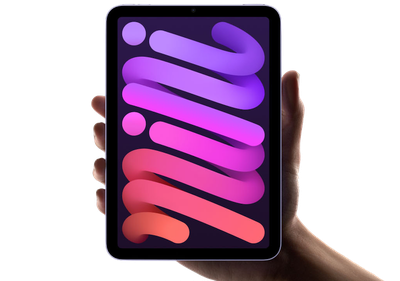
ipad mini 6 roundup header
A shut down and a restart are the same gesture now, while a force restart, used if a regular restart won't work, is a bit different.

To Shut Down/Restart Your iPad Mini 6

  1. Press and hold down on the top power button and either the volume up or volume down button until a slider appears.
  2. Slide a finger along the on-screen slider to turn off the iPad.
  3. Once it's turned off, press and hold on the top power button again until the Apple logo appears.

On previous ‌iPad mini‌ models, you could restart by holding down the Home button and the Side button on the device at the same time, but in the new model, you need to do a full shutdown and then power the tablet back up in a separate step.

You can also turn off your ‌iPad mini‌ by opening up the Settings app, choosing General, and selecting Shut Down.

To Force Restart Your iPad Mini 6

  1. Press and quickly release the volume up button.
  2. Press and quickly release the volume down button.
  3. Press and hold the top Power button until a restart is initiated.

All of the gestures used in the new ‌iPad mini‌ are the same as the gestures used in the iPad Air and iPad Pro, and you can also follow these same steps to shut down or restart an iPhone without a Home button, just with one small tweak: You'll need to hold the Side button on the right because there is no top power button.


Related Roundup: iPad mini
Buyer's Guide: iPad Mini (Don't Buy)
Related Forum: iPad

Popular Stories

ipad mini 7 feature red and blue

OLED iPad Mini: Release Date, Pricing, and What to Expect

Friday June 19, 2026 1:46 am PDT by
According to the latest rumors, Apple is close to launching its next-generation iPad mini. So what should we expect from the successor to the iPad mini 7 that Apple released over 20 months ago. Read on to find out. Processor and Performance Apple is working on a next-generation version of the iPad mini (codename J510/J511) that features the A19 Pro chip, according to information found in...

Dynamic Island iPhone 18 Pro Feature

12 Reasons to Wait for the iPhone 18 Pro

Thursday June 18, 2026 2:17 am PDT by
We're only three months out from the launch of Apple's premium next-generation smartphone lineup, and while we're not expecting a sea change in terms of functionality, there are still several enhancements rumored to be coming to the iPhone 18 Pro and iPhone 18 Pro Max. One thing worth noting is that Apple is reportedly planning a major change to its iPhone release cycle this year, adopting a ...
Apple Watch Ultra Orange Alpine Loop Action button 220907 big

Apple Explains Why watchOS 27 Drops Support for So Many Models

Friday June 19, 2026 6:07 am PDT by
Apple today detailed why five Apple Watch models will miss out on watchOS 27 and the new Siri AI features that come with it. The Apple Watch Series 6, 7, 8, SE 2, and the original Apple Watch Ultra will not receive watchOS 27, and will only get basic security updates going forward. With the update, Apple is effectively dropping three years' worth of device support in a single software...









































