

Clean Energy Charging is a new feature in iOS 16.1 that aims to decrease the carbon footprint of the iPhone by optimizing charging times for when the grid is using cleaner energy sources. Keep reading to learn how you control it.
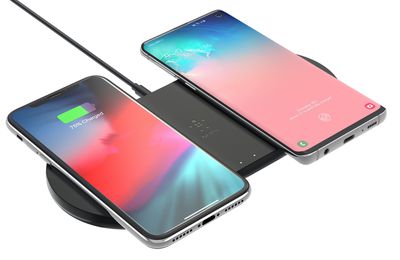
For users in the United States, iPhones running iOS 16.1 will try to reduce your carbon footprint by selectively charging when lower carbon emission electricity is available. Apple says the iPhone learns from your daily charging routine so it can reach full charge before you need to use it.
iOS 16.1 includes a process that runs in the background and collects carbon emission data from the local load balancing authority in your region, based on the device's location.
The iPhone then downloads a carbon emission forecast from the authority and uses this combined data to control Clean Energy Charging so that the device charges when demand on the power grid is low and cleaner energy is available.
Apple says the Clean Energy Charging feature is enabled by default, so you don't have to do anything for it to perform its function in the background. However, if you do want to turn it off and back on at any time, here's how to find the feature.
How to Enable or Disable Clean Energy Charging
- Launch the Settings app on your iPhone.
- Scroll down and tap Battery.
- Tap through to Battery Health & Charging.
- Toggle on/off the switch next to Clean Energy Charging.
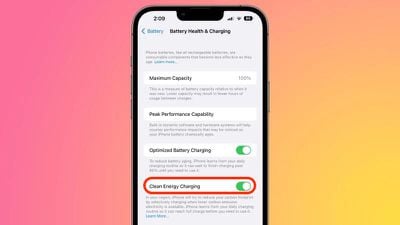
Note that if you're running iOS 16.1 and you don't see the Clean Energy Charging option, then the feature isn't currently supported in your region.



























![Apple Pulls Keynote, Pages and Numbers From App Store [Update: Back]](https://images.macrumors.com/t/Okb7kitB_gNr6qe5Pex9nQIysD8=/112x112/article-new/2026/01/Apple-Creator-Studio-iWork-suite.jpg)
















