Siri: Everything You Need to Know - MacRumors
Skip to Content

Siri: Everything You Need to Know

by

Siri is the voice assistant on Apple devices, equivalent to Amazon's Alexa, Microsoft's Cortana, and Google's Google Assistant. Siri is available across most of Apple's devices, including iPhone, iPad, Mac, Apple Watch, Apple TV, and HomePod.
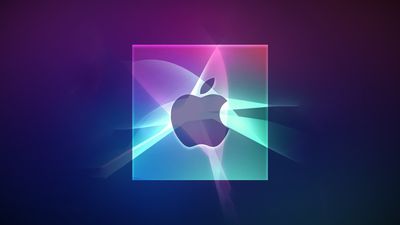
Apple Silicon AI Optimized Feature Siri
You can ask Siri all kinds of questions, from simple queries about the weather to more complex questions about everything from sports scores to the number of calories in food. Siri can also enable or disable settings, find content, set alarms and reminders, place calls and texts, and so much more.

This guide covers the basics of Siri, including some of the commands you can use to activate Siri, devices that have Siri included, and devices that support more advanced hands-free "Hey Siri" commands.

Activating Siri

On an iPhone or ‌iPad‌, Siri can be activated by holding the Home button on compatible models or holding the Side button on devices without a Home button. On iOS 14 and later, on the iPhone and the ‌iPad‌, Siri pops up as a small icon at the bottom of the device's display, and on devices capable of Apple Intelligence, there is a Siri glow around the display that denotes that the personal assistant is activated.

ios14compactsiri
On the Mac, you can click on the Siri app icon on the dock or the menu bar, or press and hold the command key and the space bar. On iPhones, iPads, and Macs, you can activate Siri with a "Hey Siri" wake word.

macbook pro hey siri
On the Apple Watch, you can say "Hey Siri" to activate Siri. On Apple Watch Series 3 or later with the latest version of watchOS, there's a Raise to Speak feature that lets Siri respond to commands even without the Hey Siri trigger word. Just hold the watch up near your mouth and speak a command. Siri can also be activated by holding down on the Digital Crown.

On first-generation AirPods, a double tap activates Siri, and on second-generation AirPods, Siri can be activated with the "Hey Siri" command.

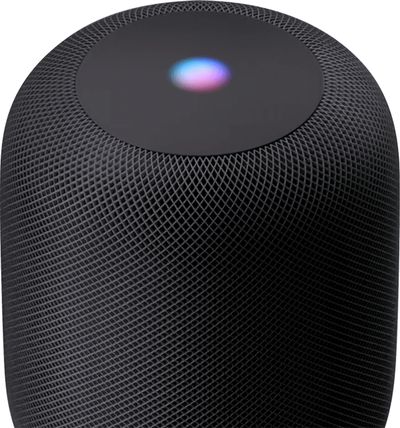
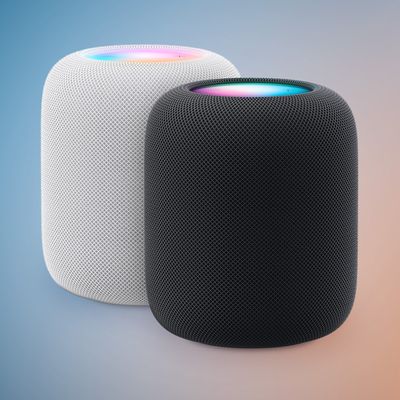
On ‌HomePod‌, say "Hey Siri" or press on the top of the ‌HomePod‌ to activate Siri.

On the fourth and fifth-generation ‌Apple TV‌, hold down the Siri button on the remote (the button with the microphone) to activate Siri. On the sixth-generation ‌Apple TV‌ or models with the newer Siri Remote (the aluminum remote), press on the side button to activate Siri.

Devices Compatible With Siri

Siri is on almost every Apple device, and it's built into macOS, iOS, watchOS, and tvOS. You can activate Siri on Macs running macOS Sierra or later, all Apple Watch models, the ‌Apple TV‌ HD and ‌Apple TV‌ 4K, all modern iPhones, all AirPods models, the ‌HomePod‌, and the HomePod mini.

homepod siri

Multiple Siri Devices

When multiple devices that can respond to "Hey Siri" commands are available, the devices will use Bluetooth to determine which one should respond to the request so not all of them answer at once. According to Apple, the device that heard you best or the device that was most recently raised or used will respond.

If you have a ‌HomePod‌, the ‌HomePod‌ will often take precedent and respond to "Hey Siri" requests even when other devices that support the feature are nearby.

Countries Where Siri Support is Available

Siri is available in more than 35 countries around the world, including the U.S., UK, Canada, Australia, New Zealand, and many countries in Asia and Europe.

A full list of countries where Siri is available can be found on Apple's Feature Availability website.

Certain Siri features like translations, sports info, restaurant information and reservations, movie information and showtimes, dictionary, calculations, and conversions are limited to a smaller number of countries.

What Siri Can Do

Below is a list of some of the commands and questions Siri is able to respond to, and some of the actions Siri is able to take.

  • Make calls/Initiate FaceTime
  • Send/read texts
  • Send messages on third-party messaging apps
  • Set alarms/timers
  • Set reminders/check calendar
  • Split a check or calculate a tip
  • Play music (specific songs, artists, genres, playlists)
  • Identify songs, provide song info like artist and release date
  • Control HomeKit products
  • Play TV shows and movies, answer questions about them
  • Do translations and conversions
  • Solve math equations
  • Offer up sports scores
  • Check stocks
  • Surface photos based on person, location, object, and time
  • Apple Maps navigation and directions
  • Make reservations
  • Open and interact with apps
  • Find files (on Mac)
  • Send money via Apple Pay
  • Check movie times and ratings
  • Search for nearby restaurants and businesses
  • Activate Siri Shortcuts
  • Search and create Notes
  • Search Twitter and other apps
  • Open up the Camera and take a photo
  • Increase/decrease brightness
  • Control settings
  • Tell jokes, roll dice, flip a coin
  • Play voicemails
  • Check the weather

Apple Intelligence

Starting with iOS 18, iPadOS 18, and macOS Sequoia, Apple made Siri more intelligent on devices that support ‌Apple Intelligence‌. This includes devices with an A17 Pro chip or later or an M-series chip. These chips are included in the iPhone 15 Pro, iPhone 16 models, all Macs with Apple silicon, all iPads with Apple silicon, and the iPad mini 7.

ios 18 1 siri
With ‌Apple Intelligence‌, Siri has a new look. There's now a glow around the edges of the display when Siri is activated, applicable to iPhone, ‌iPad‌, and CarPlay. On Mac, the Siri window can be placed anywhere. The glow animates responsively to the sound of your voice so you can tell when Siri is listening without interrupting other things you're doing.

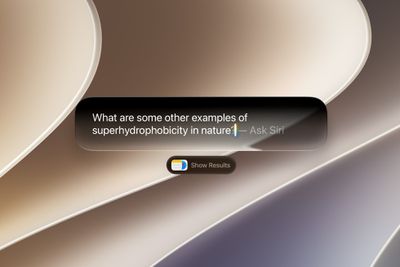
Apple also added a Type to Siri feature, so you can type requests to Siri instead of speaking them. To activate Type to Siri, you can double tap on the bottom of the display. On Mac, you need to press the Command key twice to bring up Type to Siri. Type to Siri includes suggested requests so you can get your questions answered faster.

Siri is now able to maintain context between requests so you can ask a question and then reference it in a second reply. If you ask about the temperature in Raleigh, for example, and then follow up with "what's the humidity?" Siri should know you mean in Raleigh. If you stumble over your words when speaking to Siri, or change what you're saying mid-sentence, Siri will follow along.

Siri has Apple's product knowledge and support base for answering questions about your device's features and settings, and can even find settings when you don't know the exact name by using natural language search.

Siri ChatGPT Integration

One of the biggest features in ‌Apple Intelligence‌ is Siri's integration with ChatGPT. Siri ChatGPT integration lets Siri hand requests over to OpenAI's ChatGPT. ChatGPT is off by default, but you can turn it on in the ‌Apple Intelligence‌ and Siri section of the Settings app.

iOS 18 ChatGPT
If ChatGPT integration is enabled, Siri will consult ChatGPT for complex requests. Complex requests might include creating an image, generating text from scratch, making recipe ideas based on what's in your refrigerator, describing what's in a photo, and more.

Siri will analyze each request to see if it's something that needs to be answered by ChatGPT, but you can also automatically invoke ChatGPT for a request by using a request like "Ask ChatGPT to give me a chocolate chip cookie recipe." Siri asks your permission before querying ChatGPT, but there is an option to turn off that extra permission step by toggling off "Confirm ChatGPT Requests" in the ChatGPT section of Settings.

You don't need an account to use ChatGPT, and it is free, but if you have a paid account, you can sign in. If you're not signed in, OpenAI does not store any of your ChatGPT requests, nor is your information used for training ChatGPT. If you sign in, ChatGPT can save a copy of your queries. Apple does not store ChatGPT queries.

ChatGPT can be used with Siri, but it is also integrated into Writing Tools and Visual Intelligence. With Writing Tools, ChatGPT can generate text, and with ‌Visual Intelligence‌, ChatGPT can answer questions about what the Camera sees.

Siri

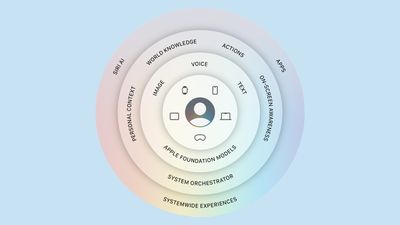
Apple released some of the Siri features in iOS 18.1, iPadOS 18.1, and macOS Sequoia 15.1, but additional Siri capabilities are coming in later updates to iOS 18, iPadOS 18, and macOS Sequoia. We'll likely see these sometime around the iOS 18.5 update in May. Apple is working on onscreen awareness, personal context, and the ability to take more actions in and across apps.

Onscreen awareness will let Siri take actions when you ask something about what's on your display. If you're looking at a photo and want to message it to your friend Eric, you'll be able to tell Siri to "Send this picture to Eric," and Siri will understand and do it.

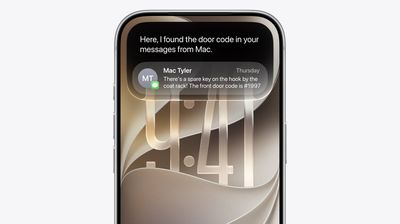
Personal context will let Siri do more with your personal data like emails and messages. This is an on-device feature, and it will let Siri learn more about you, who you're communicating with, and how you use your device. Personal context will let you do things like ask Siri to find a specific message, or remind you when you took a photo that you're looking for.

The Siri option to take more actions in and across apps will drastically improve what Siri is capable of. You'll be able to move files from one app to another and control app functions with Siri that you never could before. It'll work in third-party apps as well as Apple's own apps.

Passive Siri

Siri is an active assistant that you can interact with, but Apple has also integrated Siri into other aspects of iOS and watchOS, allowing Siri to make proactive suggestions that you can act on.

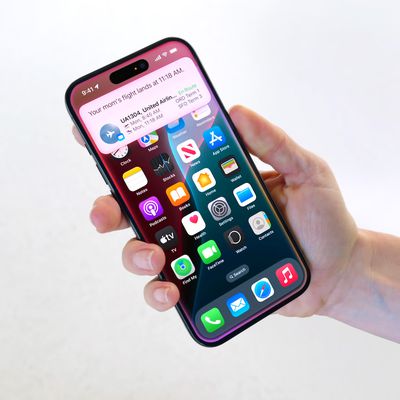
On the iPhone, ‌iPad‌, and Apple Watch, Siri can make various kinds of recommendations. When you're running late for a scheduled meeting, for example, Siri might suggest that you call your boss either on the Home screen or when you swipe down to search and access the Siri Suggestions options.

siriwatchfaceseries4
In Messages and Mail, Siri can suggest things like phone numbers or addresses based on what you've typed, and in Safari, Siri can offer up search suggestions. Siri can do other things like suggest ‌HomeKit‌ scenes to activate, suggest a time to leave when you have an event scheduled, suggest events to add to your calendar from your email, and more. Siri suggestions are all based on your personal device usage habits, so what you see will vary.

On-Device Speech Processing and Personalization

A lot of Siri's speech processing and personalization features are handled on-device, which allows for more security than typical personal assistants that use the cloud for everything. Most audio requests are kept entirely on-device and are not uploaded to Apple's servers, but if ChatGPT is engaged, data is sent to OpenAI, and some ‌Apple Intelligence‌ features also require cloud connectivity.

Apple has designed Private Cloud Compute, a secure way for devices to interface with Apple servers.

Offline Support

With on-device processing now available, there are a wide range of Siri requests that can be handled offline. Siri can create (and disable) timers and alarms, launch apps, control audio playback, and access Settings options. Apple says Siri can also process Messages, sharing, and Phone requests.

Siri Privacy

Siri does send data back to Apple, but searches and requests are not associated with your identity to keep your personal information safe.

Apple does not sell your data to advertisers or other organizations, and end-to-end encryption is used for all data syncing between your devices and the cloud. Apple does sometimes use Siri recordings for improving Siri's performance, but there's now a toggle to opt out of Siri data collection and usage, which can be found in our how to.

Guide Feedback

Have questions about Siri, know a feature we left out, or want to offer feedback on this guide? Send us an email here.

Related Articles

homepod top

Apple Cut Frequencies in WWDC Keynote to Prevent Siri Activations

Friday June 12, 2026 6:23 am PDT by
Apple appears to have modified the audio of this week's WWDC 2026 keynote video whenever "Siri" was mentioned, apparently in an effort to prevent viewers' nearby devices from waking inadvertently during the presentation. The technique was spotted by observers on X, who shared spectrogram screenshots showing clear gaps in those specific frequency ranges coinciding precisely with instances of...
maxresdefault

Apple's Craig Federighi: Siri Won't Be Your AI Girlfriend

Thursday June 11, 2026 3:26 pm PDT by
Apple software engineering chief Craig Federighi and marketing chief Greg Joswiak sat down for an interview with Mostly Human after during WWDC, discussing the iOS 27 Siri changes, Apple's take on AI, new child safety protections, and more. Apple set out to deliver an AI utility, not an AI companion. When asked whether users could create an AI boyfriend or girlfriend with the new Siri,...

maxresdefault

Hands-On With iOS 27's Siri AI

Wednesday June 10, 2026 12:48 pm PDT by
The smarter, more capable version of Siri is finally here, available in iOS 27, iPadOS 27, and macOS Golden Gate. The updates are limited to developers right now, but there's a lot to look forward to this fall. Subscribe to the MacRumors YouTube channel for more videos. Personal Context is a Siri capability that distinguishes Siri AI from other chatbots like Claude and OpenAI. Siri has access ...


maxresdefault

The MacRumors Show: Siri AI, Apple Intelligence in Apps, and More at WWDC 2026

Wednesday June 10, 2026 9:41 am PDT by
On this week's special episode of The MacRumors Show, we talk through all of the major announcements Apple unveiled at WWDC 2026, including Siri AI, new Apple Intelligence features in apps, and system-wide performance and design improvements. Subscribe to The MacRumors Show YouTube channel for more videos Apple framed the keynote around three areas: platform improvements, Trust and Safety,...
Ask Siri iOS 27

Craig Federighi Explains Why Apple Pivoted to a Siri Chatbot App

Wednesday June 10, 2026 5:07 am PDT by
Apple senior vice president of software engineering Craig Federighi has explained why the company launched a standalone Siri app in iOS 27, after previously characterizing a dedicated chatbot as contrary to its Apple Intelligence strategy. The new Siri app, announced at WWDC earlier this week, gives users a centralized place to manage and revisit their conversations with Siri AI. Federighi...
iphone 17 ceramic shield

iPhone 17's 8GB Limit Costs It These Two Siri AI Features in iOS 27

Wednesday June 10, 2026 2:19 am PDT by
Apple this week revealed what its most advanced on-device AI model does, and the feature list is shorter than the hardware requirements might suggest. In its Siri AI announcement during WWDC 2026, Apple confirmed that the model powers two things: more expressive Siri voices and a major accuracy gain for systemwide dictation. Both require 12GB of unified memory. Among current iPhones, that ...
visionos 27

visionOS 27: Siri AI, Eye-Aware Notifications, Curved Windows, and More

Tuesday June 9, 2026 8:50 am PDT by
Apple's WWDC 2026 keynote may have seemed relatively quiet on the Vision Pro front, but the visionOS 27 beta contains a decent amount of new features and quality of life improvements that are likely to be welcomed by the headset's user base. As you'd expect, visionOS 27 is getting the new Apple Intelligence and Siri AI features that Apple has brought to iOS 27 and macOS 27, but this time...
Siri AI

EU Says Decision Not to Launch Siri AI in Europe Is Apple's Alone

Tuesday June 9, 2026 7:07 am PDT by
The European Commission has responded to Apple's announcement that Siri AI will not launch in the EU, saying the decision is entirely Apple's and that the company sought an exemption from its legal obligations rather than a compliant solution. Commission spokesperson Thomas Regnier told reporters in Brussels (via Reuters) that Apple had failed to develop interoperability solutions meeting EU ...
siri voice customization

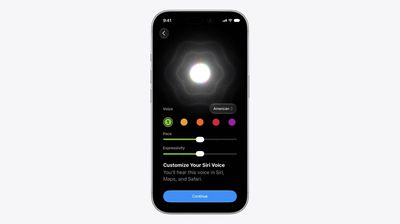
Siri AI Gains Customizable Voice Expressiveness and Pace

Monday June 8, 2026 1:48 pm PDT by
Apple today announced that Siri AI will offer a "brand new voice experience," giving users the ability to customize how the voice assistant sounds. On devices that support Apple's most advanced on-device model, Siri AI will deliver more expressive voices alongside a significant improvement to systemwide dictation accuracy. Users will be able to adjust both the expressiveness and pace of...
ios 27 siri mode camera

iOS 27 Camera App Gets Siri Mode, Updated UI

Monday June 8, 2026 1:31 pm PDT by
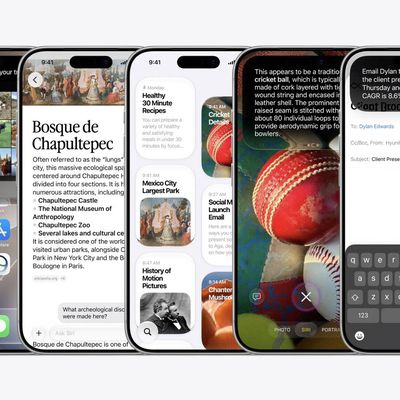
The iOS 27 Camera app has a new "Siri" mode that is available in addition to the video, photo, and other camera modes. You can get to Siri mode by swiping over to it at the bottom of the Camera app in the iOS 27 developer beta. Siri mode integrates Visual Intelligence, so you can take a photo of something and ask Siri about it. Siri can answer questions about whatever you're taking a photo...
Ask Siri iOS 27

Apple Says New Siri is Compatible With These iPhones, iPads, and Macs

Monday June 8, 2026 12:53 pm PDT by
The more intelligent and personalized version of Siri that Apple introduced today — "Siri AI" — is limited to devices with Apple Intelligence support. "Siri AI" is available on the devices listed below. iPhone iPhone 15 Pro iPhone 15 Pro Max iPhone 16e iPhone 16 iPhone 16 Plus iPhone 16 Pro iPhone 16 Pro Max iPhone 17e iPhone 17 iPhone Air iPhone 17 Pro ...
ios 27 siri waitlist

How to Get iOS 27's New Siri AI: Join the Waitlist First

Monday June 8, 2026 12:02 pm PDT by
Apple released the first betas of iOS 27, iPadOS 27, and macOS 27 today, introducing a more capable version of Siri called Siri AI. Developers are able to download the betas and try Siri out, but there is a waitlist. After updating to iOS 27, developers will need to open the Settings app, go to the Apple Intelligence section, and opt in to the waitlist to get access to Siri. There is no...
iOS 27 Siri AI

Apple Announces When iOS 27 and Revamped 'Siri AI' Will Be Released

Monday June 8, 2026 11:37 am PDT by
Apple today announced that iOS 27, iPadOS 27, macOS 27, watchOS 27, tvOS 27, and visionOS 27 will be available in developer beta starting today, with public betas to follow in July. The software updates will all be released in the "fall" as usual — likely September — but Apple did not provide any specific date at this time. The revamped version of Siri that is officially named "Siri AI" will ...
Siri AI

New Siri AI Features Won't Be Available in EU Later This Year

Monday June 8, 2026 11:16 am PDT by
The new enhanced Siri AI features that Apple announced today at WWDC 2026 will not be available in the European Union or in China when they are released in beta later this year. Apple said that while Siri AI will be available for free with the new upcoming OS releases, it will not be available in the EU on iOS and iPadOS until it can find a path forward for regulatory approval. Apple said ...
Siri App

Apple Unveils All-New Siri App Across iOS 27 and macOS Golden Gate

Monday June 8, 2026 11:00 am PDT by
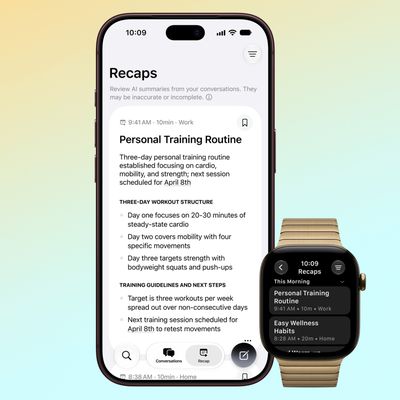
Apple today introduced a Siri app across iOS 27, iPadOS 27, and macOS Golden Gate, providing users with a dedicated spot to interact with the revamped assistant. In the Siri app, you can have back-and-forth conversations with Siri in text or voice modes, and your conversation history is synced across your devices via iCloud. Apple is finally launching its more personalized version of...
macOS Golden Gate Search or Ask

Rich Siri Conversations in macOS 27 Can Be Started in Spotlight

Monday June 8, 2026 10:53 am PDT by
In macOS 27, Siri's new chatbot capabilities can be accessed straight from Spotlight, Apple announced today. During its WWDC 2026 keynote, Apple revealed that Siri's rich conversational experience can be started right inside the Spotlight prompt, accessed via Command + Space, bringing in context and chat history on the fly. Conversation history is synced via iCloud, so you can go from...
Siri AI

Apple Announces 'Siri AI' at WWDC 2026

Monday June 8, 2026 10:52 am PDT by
Apple today announced a significantly revamped Siri at WWDC 2026, rebranding it as "Siri AI" and unveiling out a wave of new capabilities spanning conversational depth, system-wide integration, and a redesigned interface across platforms. Apple framed the update with the acknowledgment that "there are times when you expect more from Siri." The company is describing the redesigned assistant...
WWDC26 MR Live Coverage Article

WWDC 2026 Apple Event Live Keynote Coverage: iOS 27, Revamped Siri, and More

Monday June 8, 2026 9:15 am PDT by
Apple's Worldwide Developers Conference (WWDC) starts today with the traditional keynote kicking things off at 10:00 a.m. Pacific Time. MacRumors is on hand for the event and we'll be sharing details and our thoughts throughout the day. We're expecting to see a number of software-related announcements today, headlined by a reset on Apple's push into AI that should see a significant overhaul...
iOS 27 Ft

iOS 27: New Siri Features Could Be Gated Behind a Waitlist

Friday June 5, 2026 4:24 am PDT by
Bloomberg's Mark Gurman has published his WWDC preview ahead of Monday's keynote, and while almost all of the iOS 27 features he covers have already made the rounds, there are a couple of details worth highlighting. As we've covered previously, Apple is turning Siri into a full chatbot that users can interact with, similar to Claude or ChatGPT. The Siri chatbot will be integrated into...
Apple Silicon AI Optimized Feature Siri 1

Apple's Overhauled Siri Will Reportedly Run on Nvidia's Blackwell Chips

Thursday June 4, 2026 2:38 am PDT by
Apple will rely on Google's fleet of Nvidia chips to power its overhauled version of Siri when it launches in September, according to a new report from The Information. Last week, the outlet reported that Apple plans to highlight the on-device AI capabilities of its devices at WWDC next week, but queries that require cloud-based processing will still fall back on one of Google's large Gemini ...