New Mac Mini and Mac Studio Add Genlock Support for Camera Syncing - MacRumors
Skip to Content

New Mac Mini and Mac Studio Add Genlock Support for Camera Syncing
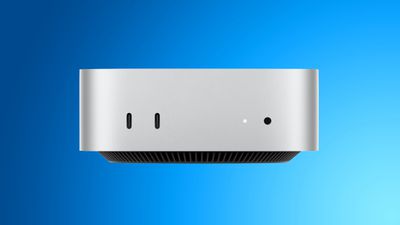
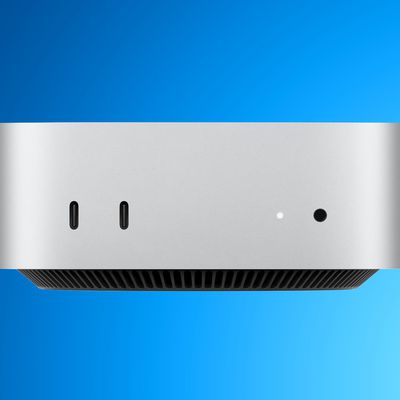
mac mini blueApple's new Mac mini and Mac Studio feature genlock support over USB-C, allowing users to precisely synchronize a display with a camera such as the iPhone 17 Pro, without the need for additional equipment.

It keeps multiple cameras and displays locked to the same timing signal, stopping footage from drifting out of sync during a multi-camera shoot.

Popular Stories

apple houston manufacturing facility 1

Apple Opens Houston Advanced Manufacturing Center Ahead of Mac Mini Production

Thursday August 13, 2026 12:06 pm PDT by
Apple today opened its Advanced Manufacturing Center (AMC) in Houston, Texas. It's located in the same Houston facility where Apple makes AI servers and will start manufacturing the Mac mini this year. Small and medium businesses can visit the 20,000-square-foot facility for free training and educational sessions, taking advantage of interactive labs, tools, and equipment, including a...

mac mini blue

New Mac Mini Reportedly Set to Launch Before iPhone 18 Pro Event

Monday August 24, 2026 7:19 pm PDT by
Apple plans to unveil a new Mac mini in the "coming days," according to the latest word from Bloomberg's Mark Gurman. The new Mac mini will potentially be unveiled before the iPhone 18 Pro event, which is likely to take place on Wednesday, September 9, the report said. Gurman said the new Mac mini will likely be Apple's final new product unveiled before Tim Cook steps down as CEO on...

mac mini blue

Mac Mini Launching Imminently With M5 or M6 Chip [Update: Pre-Orders Now Live]

Tuesday August 25, 2026 2:12 am PDT by
Update: Apple just announced the new Mac mini with M5 and M5 Pro chips. It's been almost two years since Apple launched the current M4 and M4 Pro Mac mini models, but the good news is that a refresh is on its way any day now. According to the latest report from Bloomberg's Mark Gurman, Apple plans to debut a new Mac mini in the "coming days." In other words, expect to see it drop...

Top Rated Comments

Will Co Avatar
1 hour ago at 08:20 am

Can someone elaborate what this means? I’m not exactly following.

Same here, and I work in video. I think it has to do with live video streaming and seamlessly switching in between multiple cameras.

Let’s say you have two cameras both recording at 30 frames per second. Without genlock synchronizing the timing of those 30 frames per second, each camera’s 30 frames would be recording at different intervals of time as measured in milliseconds.

So if you’re trying to switch camera angles in a live feed, there could be a 1-frame hiccup caused by the difference in the two cameras’ clocks that might be perceptible as a slight visual glitch.

Genlock is meant to synchronize the 2 cameras’ clocks so each of their 30 frames per second are both being captured at the same millisecond.

I think that’s how it works, it’s a pretty niche thing, but maybe if you’re a high end live streamer or TV studio this matters you?
My take might be a bit old-school, but Genlock is also about syncing the capture frame rate with the playback frame rate. So if you're recording someone in front of a display, the display frame generation and camera capture periods are perfectly synchronised and this stops the flickering or black bars that sometimes appear on the recorded copy of the display.
Score: 4 Votes (Like | Disagree)
atonaldenim Avatar
2 hours ago at 08:00 am
Same here, and I work in video. I think it has to do with live video streaming and seamlessly switching in between multiple cameras.

Let’s say you have two cameras both recording at 30 frames per second. Without genlock synchronizing the timing of those 30 frames per second, each camera’s 30 frames would be recording at different intervals of time as measured in milliseconds.

So if you’re trying to switch camera angles in a live feed, there could be a 1-frame hiccup caused by the difference in the two cameras’ clocks that might be perceptible as a slight visual glitch.

Genlock is meant to synchronize the 2 cameras’ clocks so each of their 30 frames per second are both being captured at the same millisecond.

I think that’s how it works, it’s a pretty niche thing, but maybe if you’re a high end live streamer or TV studio this matters you?
Score: 3 Votes (Like | Disagree)
26 minutes ago at 09:20 am
Genlock is also essential for ‘stitching’ displays together… and opens the door to Macs being able to output a display that is over 8K.

Think giant LED panel builds used at big events or stadium signs that are not the standard 16x9 or even the newly supported 5K Ultrawide Support thats in macOS Golden Gate. (E.g. 20K pixels wide).

For what it’s worth it’s not there yet… as AVFoundation (macOS’s hardcoded maximum for external outputs are 8192 for height and 8192 for width.) limits this and why PCs with GPUs (with the GPU being what usually supports gen lock with multiple outputs from a video card) are still required for things of that nature.

And in case you made it this far… macOS and third party apps (I.e. Adobe AE) CAN create video files over this hard limit… but macOS can NOT play them back over an external display output at full resolution (not to mention the caps of the version of DisplayPort and HDMI AND even the physical cable to account for in terms of bandwidth).
Score: 1 Votes (Like | Disagree)
jent Avatar
2 hours ago at 07:38 am
Can someone elaborate what this means? I’m not exactly following.
Score: 1 Votes (Like | Disagree)