Apple Watch: 15 Tips Every Owner Needs to Know - MacRumors
Skip to Content

Apple Watch: 15 Tips Every Owner Needs to Know

Apple Watch is now eleven generations in, and packed with useful features that are easy to miss at first glance. To help you get more out of your device, we've rounded up 15 practical tips you might not have discovered yet, including a few that long-time users often overlook.
Apple Watch 15 Tips Every Owner Needs to Know Feature

Bounce Between Two Apps

watch
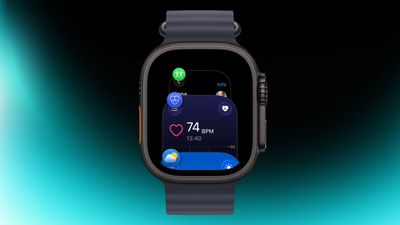
On your Apple Watch, double-press the Digital Crown to see a deck of all currently open apps, and turn it to scroll through them. From this view, you can jump back to the last app you were using. Simply tap on an app screen to switch to it, or swipe left on its card and tap the red X button to quit it.

Switch App Views
app view
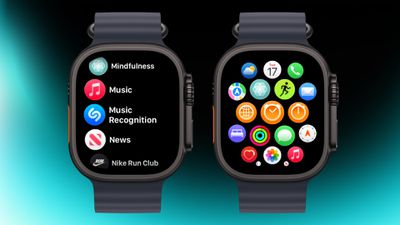
If the app grid feels messy, switch to List View. Open the Watch app on iPhone, tap App View, and choose List View. From then on, pressing the Digital Crown will show your apps in a simple, scrollable list.

Rearrange Apps
watch app
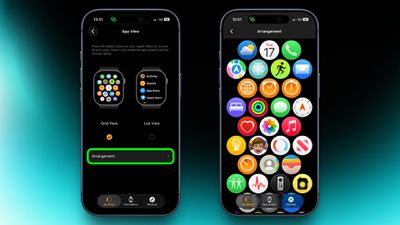
You can rearrange your apps so that the ones you use most are closer to hand. Simply press and hold on any app in the grid view, then drag it where you want. Alternatively, open the Watch app on your iPhone, go to App View ➝ Arrangement, and move things around there instead.

Ping Your iPhone
ping
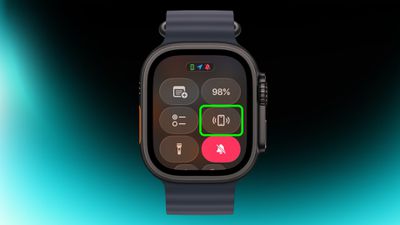
If you've misplaced your iPhone but you're sure it's nearby, open Control Center with a press of the Side button, then tap the phone icon to make it ping. Press and hold that icon and the iPhone's camera flash will blink too, which can help if it's hidden under something.

Skip the Countdown
workout
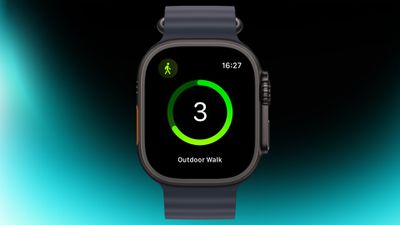
If you're eager to start a workout, the three-second countdown before it starts can be skipped. Just tap the screen when the countdown begins and your workout will start immediately. If you find yourself doing this regularly, consider turning on Precision Start in Settings ➝ Workout.

Customize Vibration Strength
haptics
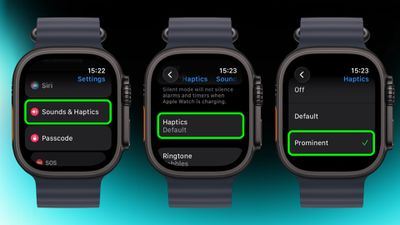
If you keep missing notifications, go to Settings ➝ Sounds & Haptics ➝ and change from Default to Prominent. This adds an extra tap pattern before alerts so they're harder to ignore.

Perform Precision Timing
chronograph
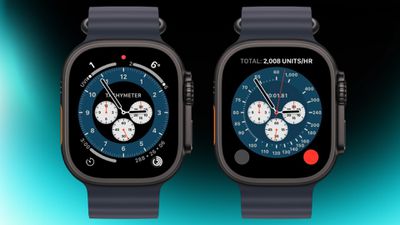
The Chronograph Pro watch face transforms into an actual chronograph. Tap the outer edge surrounding the main 12-hour dial on this watch face to record time on scales of 60, 30, 6, or 3 seconds. Alternatively, select the tachymeter timescale to measure speed based on time travel over a fixed distance.

Jump to the Top
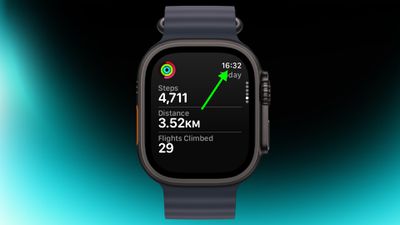
jump to top
If you've scrolled way down in an app and want to jump back to the top, just tap the time in the top corner of the screen. It works in most apps and saves a lot of scrolling.

Remove Apps
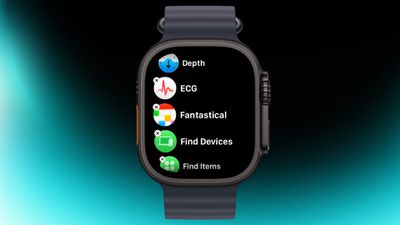
apps view
Clearing out apps you don't use on your Apple Watch is easy. In the List or Grid View, press and hold on the screen until the apps jiggle, then tap the small x in the corner of the app icon to delete it. This works for most system apps and all third-party apps.

Customize Control Center
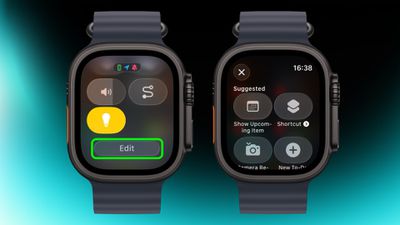
control center
By default, Control Center (accessed via the Side button) gives you quick access to things like Wi-Fi, battery, and Do Not Disturb. But it's worth seeing what else you can add to it that you'd like quick access to. Tap the Edit button at the bottom, then tap the + icon in the top-left corner of the screen. System options such as New Note and Lights are particularly handy, and you might see some third-party options listed too, depending on your installed apps.

Speak the Time Out Loud
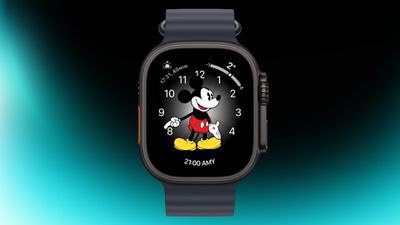
mickey
If you're using the Mickey or Minnie watch face, tap on the character and they'll speak the time out loud. Just make sure your sound is turned on. In fact, you can also have Siri read the time on any watch face by tapping and holding with two fingers on the display. Again though, sound needs to be enabled.

Customize Smart Replies
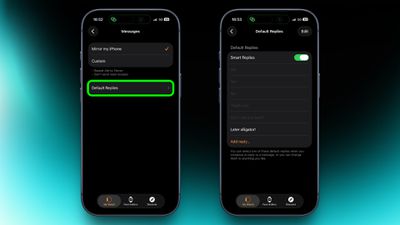
smart replies
Smart Replies are handy when you want to reply with just a few words. In the Watch app on iPhone, go to Messages and tap Default Replies to customise what shows up. Then when a message comes in, simply swipe down to pick one of your preset replies.

Pause Activity Rings
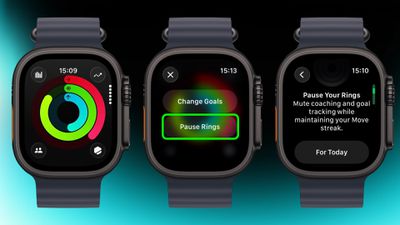
activity
Feeling unwell but hoping to keep your streak intact? In the Activity app, select your rings to access the option to suspend them for the day, or set a pause that lasts until a chosen date up to 90 days ahead.

Create a Note
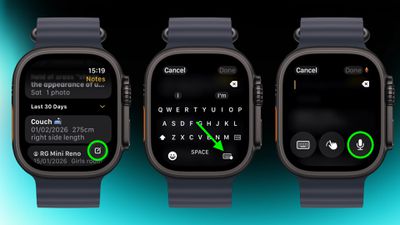
notes
In the new Notes app in watchOS 26, you can't modify existing notes on Apple Watch, but you can create a new one by tapping the compose control in the bottom-right corner and speaking your text. Because Notes sync through iCloud, you can refine or reorganize everything later on a device with a physical or on-screen keyboard.

Mute and Dismiss Alerts
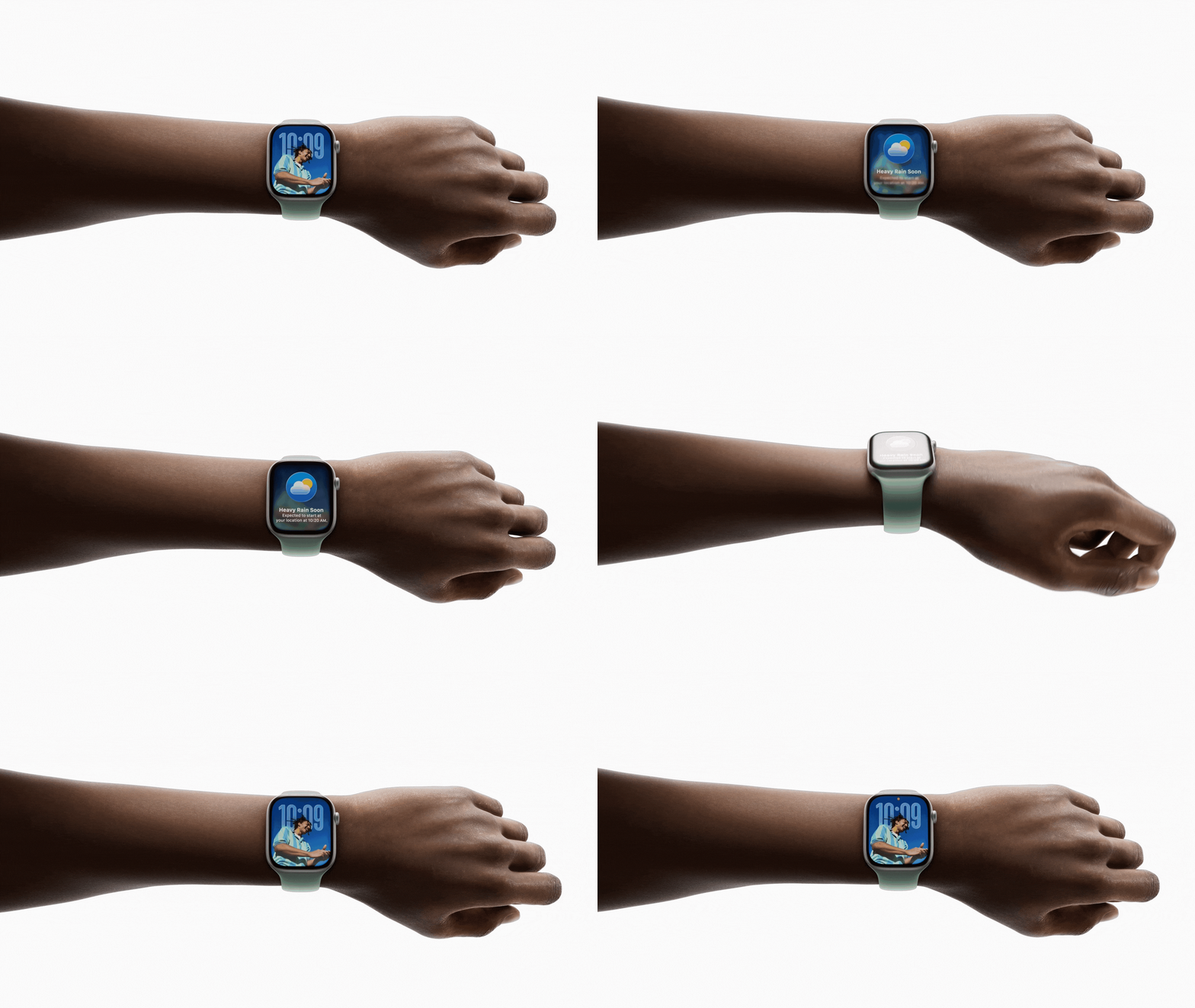
wrist flick watchos 26
With a quick wrist flip, you can clear the current screen and go back to the watch face. The same gesture can be used to mute calls, stop timers, and dismiss notifications. The feature, which is on by default, is supported on Apple Watch SE (3rd generation), Series 9, Ultra 2, and later.


Related Roundup: Apple Watch 12
Buyer's Guide: Apple Watch (Buy Now)
Related Forum: Apple Watch

Popular Stories

apple watch s12 ultra 4

Apple Watch Series 12, Ultra 4 Owners Report Skin Irritation

Wednesday October 7, 2026 12:02 pm PDT by
Some Apple Watch Series 12 and Ultra 4 owners have experienced unexpected skin irritation with the new models, according to reports on the MacRumors forums and Reddit. Affected users complain of a burning sensation and redness under the sensor area. The Apple Watch Series 12 and Ultra 4 measure heart rate every five seconds, and some people have wondered if that's the cause of the skin...
southern straps 3 1

MacRumors Giveaway: Win an Apple Watch Series 12 and a Nylon Band From Southern Straps

Friday October 9, 2026 10:20 am PDT by
For this week's giveaway, we've teamed up with Southern Straps to offer MacRumors readers a chance to win an Apple Watch Series 12 and a nylon band from Southern Straps to go along with it. Southern Straps is a California-based company that has been making high-quality bands for the Apple Watch since the device first launched in 2015, and the company's selection of bands offer a an...
apple watch series 6 blood oxygen monitoring 1

Apple's $634 Million Apple Watch Patent Bill Just Got Even Bigger

Tuesday October 6, 2026 6:09 am PDT by
Apple's $634 million patent loss to medical technology company Masimo has just gotten even bigger, after a federal judge ordered Apple to pay an additional $184 million in interest on what it owes (via Bloomberg Law). The ruling takes Apple's bill to around $818 million, but that doesn't include any post-judgment interest continuing to accrue until the judgment is paid. Judge James Selna ...

Top Rated Comments

ipedro Avatar
23 weeks ago

On your Apple Watch, double-press the Digital Crown to see a deck of all currently open apps, and turn it to scroll through them. From this view, you can jump back to the last app you were using. Simply tap on an app screen to switch to it, or swipe left on its card and tap the red X button to quit it.
I can’t believe this misunderstanding has persisted for almost 20 years and then you see tech writers propagating the incorrect information which explains the widespread error.

These are not open apps. They’re recent apps. This is an App Switcher (no longer called the Dock”) and it shows, and I quote Apple “recently used apps”.

The App Switcher is a visual history of recently used apps, not a task manager of active processes.

iOS and certainly watchOS with its very limited memory and battery do not run multiple apps at once, they run background processes which are limited in scope and in time. When the process ends, no part of the app is running when out of view. You do not need to “close” them because they’re not “open”.
Score: 9 Votes (Like | Disagree)
therunningman Avatar
23 weeks ago
One other cool feature (it works on iPhone, too) is you can tell Siri to "restart my watch." Siri will confirm, and then the watch restarts. It beats the shut down and manual power back up (which, I admit, I sometimes forget to do; I'll shut down my watch with the intention of powering it back up, but then I get distracted with other things and then remember to power it back up 15 minutes later :p).
Score: 9 Votes (Like | Disagree)
23 weeks ago
I just wish notifications worked all the time. I would say for incoming text messages my watch only alerts me with sound and vibration alert about 1/3 of the time. VERY FRUSTRATING as I don't find out about text messages until much later when I happen to look at my watch or phone. Believe me I have gone through the settings many times. I'm probably better off doing away with the watch totally and just use my phone for alerts.

I like having a smart watch for a few things but it seems worthless for notifications.

Good info in articles like this, I'm sure it will help some people be aware of things they didn't know about.
Score: 6 Votes (Like | Disagree)
CLS9 Avatar
23 weeks ago
The "wrist flick" only works about half the time if I'm lucky.
Score: 4 Votes (Like | Disagree)
vertsix Avatar
23 weeks ago
Also for athletes… turn on Reduce Motion in accessibility.

That way the animations are actually tolerable when you need to move between the interface while working out.
Score: 4 Votes (Like | Disagree)
r2shyyou Avatar
23 weeks ago
i've had an Apple Watch for the past 7 or 8 years and only figured out the last one (accidentally) a couple of weeks ago 😅
Score: 3 Votes (Like | Disagree)
Latest Stories
iPhone Duo Launch Begins as First Orders Reach Customers
2 hours ago
1Password for Agents Keeps Your Passwords Hidden From AI
3 hours ago
iPhone Duo 24 Hours Later: Your Questions Answered
3 hours ago
Apple's iWork Apps Get 'Intelligent Assistant' and iPhone Duo Support
4 hours ago
Apple is Apparently Considering a Slightly Larger iPhone Duo
4 hours ago
Giant iPhone Duo Displays Coming to Four Apple Stores
5 hours ago
Apple Pulls Keynote, Pages and Numbers From App Store [Update: Back]
6 hours ago
Apple Updates More Apps With iPhone Duo Support
7 hours ago
Apple Will Label Apps 'Made for iPhone Duo' in App Store
10 hours ago
Amazon Takes $49 Off iPad With Prices Starting at $399.99
10 hours ago
F1 on Apple TV Now Available in Dolby Atmos
11 hours ago
Apple Reveals More Than 50 Apps That Will Be Updated for iPhone Duo
11 hours ago
Apple Blocks Certificates That Could Help Attackers Fake Websites
13 hours ago
Giant iPhone Duo Installations Spotted at Apple Fifth Avenue
13 hours ago
iPhone Duo 2 Prototypes Include Under-Display Face ID
14 hours ago
Tesla App Gains iPad and iPhone Duo Support
18 hours ago
Apple Reportedly Boosts iPhone Duo Orders by 44%
18 hours ago
Fortnite Returning to Australian App Store After Court Ruling
18 hours ago
Apple Ordered to Open iPhone to Rival App Stores in Australia
19 hours ago
Apple Suppliers Face Hurdles Cutting Circuit Board Emissions
19 hours ago
Things Updated for iPhone Duo With Adaptive Layout
19 hours ago
Simplicity and Siri AI Are HomeView's Killer Features, Apple Says
20 hours ago
iPhone Duo Reviewers Really Miss Face ID
1 day ago
Does the iPhone Duo Run Hot? Here's What Reviews Found
1 day ago
Apple Music's New Look is Now Live on Apple's Website
1 day ago
Anthropic Launches Claude Duet, a Proactive AI Agent
1 day ago
What 32,000 Folds Did to the iPhone Duo's Hinge
1 day ago
iPhone Duo's Hidden FaceTime Camera Takes 'Trash' Photos
1 day ago
iPhone Duo Has 'Edge Light' Feature That Debuted on Macs Last Year
1 day ago
Apple Support App Updated for iPhone Duo's Larger Display
1 day ago