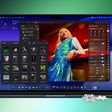
Rumored Split-Screen Multitasking Feature for iOS 8 Not Ready for WWDC Preview
The rumored split-screen multitasking feature said to be coming with iOS 8 is still a work in progress and won't be previewed at Apple's upcoming Worldwide Developers Conference, according to Brian Chen of the New York Times.
Designed for the iPad Air and possibly a larger-screened iPad to be released in the future, split-screen multitasking would allow two apps to be displayed at the same time on a single screen while in landscape mode. It might also include a feature that allows users to share information like links, images, and text between two apps.
Split-screen multitasking concept, not rumor-based
The iPad's inability to display two apps at once is a lack that Microsoft has used to
heavily advertise its Surface tablet, which does have the ability to display multiple apps on the screen at one time.
While the multitasking feature will reportedly not make its debut at WWDC, it is still slated for inclusion in iOS 8. It appears multitasking will be limited to the iPad Air at launch, and it is unclear whether the smaller Retina iPad mini and iPhone might also gain the functionality.
Popular Stories
Apple is launching five new products on Friday, November 6, following pre-orders that opened last week, including its first touchscreen MacBook Pro models.
The following new products will be available from today:
iPad mini with OLED display and A20 Pro chip
iMac with M6 chip
14-inch MacBook Pro with M6 chip
14-inch MacBook Pro with OLED touchscreen
16-inch MacBook Pro with OLED...
Apple is sending email surveys to some iPhone Duo buyers to get feedback on display size, crease, under-display camera, and other features.
The first question asks why the buyer chose the iPhone Duo now, with answers like "I wanted to try Apple's first foldable," "It was an impulse purchase," and "I expect smartphone prices to increase."
Other questions ask about the size of the iPhone...
Apple today announced that its Festival Place store in Basingstoke, England will be permanently closing on Saturday, November 21.
Apple Festival Place
Apple had already announced that the store would be closing in November, but it had not provided the public with a specific date until now.
Apple's store inside the Festival Place shopping center opened in 2011, so it had a 15-year run....