In iOS 15, Apple has added a user account area in the Maps app that corrals several custom areas like direction mode, toll and highway avoidance options, transit options, and more.
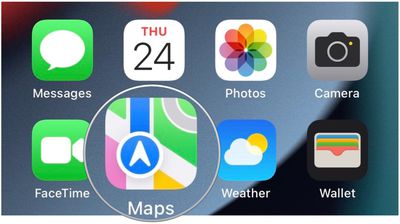
To access it, simply tap the circular icon to the immediately to the right of the search bar. You should see your initials within the circle, indicating it's your account.
A new menu card will pop up with submenus containing your Favorites, Guides, Ratings & Photos, along with quick access to reporting app issues and traffic accidents.
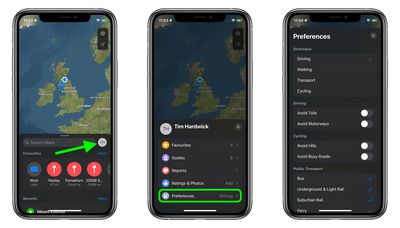
The Preferences submenu is host to a range of options that are worth checking out. Here you'll find the ability to choose your main directions preference (driving, walking, transit, cycling) as well as toggles to control avoiding tolls and motorways while driving, avoid hills and busy roads while cycling, and modes of public transport to include in transit directions.
Any changes you make take effect immediately, are synced to all your devices, and will be automatically saved ready for the next time you fire up the Maps app.