

If you have a set of AirPods that accidentally get mixed up with AirPods owned by a friend or family member, you might get an "AirPods Mismatch" error when attempting to connect the AirPods to your iPhone.
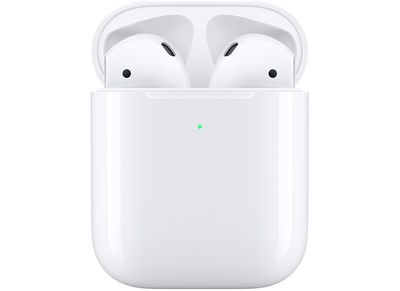
When using your AirPods, if you see an "AirPods Mismatch alert, Apple recommends that you try to get your AirPod back from the person who you might have gotten your AirPods mixed up with. Both of you will see an "AirPods Mismatch" alert when trying to use the AirPods, so it should be clear what happened.
You can use the Find My app to find your missing AirPods and then play a sound to identify which AirPod is missing. To do this, just open up the Find My app, select the AirPods from the list of your devices, and then tap the "Play Sound" option.
If you're not able to locate the missing AirPod, you will need to contact Apple Support to get a replacement from Apple. In the United States, it costs $69 to replace an AirPod and $89 to replace an AirPod Pro.





































![Apple Watch Ultra 3 Hits New Low Price With Amazon's $299 Discount [Updated]](https://images.macrumors.com/t/BXKI27vT0hWfumJQpYzf41rH3Mw=/112x112/article-new/2026/10/apple-watch-ultra-3-milanese.jpeg)









