16 New Things Your iPhone Can Do in iOS 26.4 - MacRumors
Skip to Content

16 New Things Your iPhone Can Do in iOS 26.4

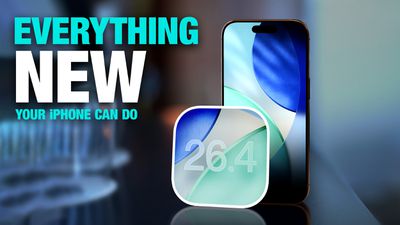
Apple has released iOS 26.4, the fourth major point update for iPhones since iOS 26 was released in September, and there are at least 14 notable changes and improvements worth checking out. We've rounded them up below.
iOS 26
The update doesn't have the enhanced Siri feature set we were hoping for – that's likely to arrive in iOS 27 – but there are quite a few other new additions included. They are as follows.

Generate Playlists With Text Prompts
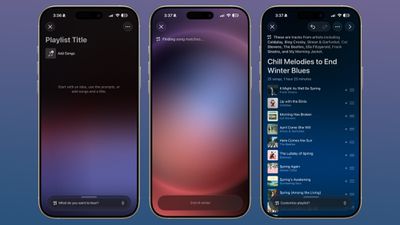
ios 26 4 playlist playground
Apple Music has a new Playlist Playground feature that creates playlists based on whatever you type in natural language. You can describe a mood, a scenario, or a vibe, like "morning coffee music" or "disco songs that defined the 1970s," for example, and the app will generate a 25-song playlist with a custom title. You can refine the results with follow-up prompts, and even pick your own cover art and description.

Watch Video Podcasts
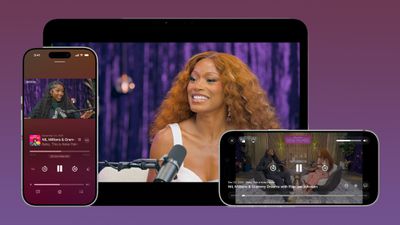
apple podcasts video
Apple has brought video podcast support to the Podcasts app for the first time. The feature uses HTTP Live Streaming to deliver video episodes, and you can switch between watching and listening on the fly. Videos can also be downloaded for offline viewing, and they'll integrate with the app's existing recommendation features.

Add a Song to Multiple Playlists
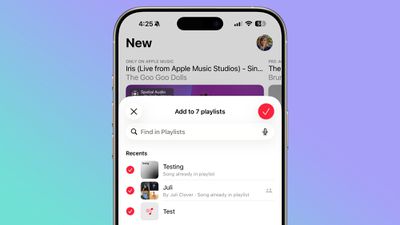
ios 26 4 multiple playlists
A song can now be added to multiple playlists at the same time in the Apple Music app. In the "Add to Playlist" interface, there's a list button that lets you select several playlists simultaneously. It's easy to miss if you're not looking for it, but once you know it's there, it should make playlist management noticeably less tedious.

Reduce Motion and Bright Effects
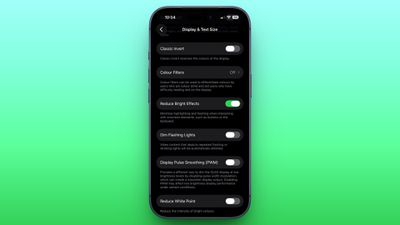
accessibility
A new Reduce Bright Effects option minimizes bright flashes that occur when tapping interface elements like buttons. The existing Reduce Motion setting has also been improved to more reliably tone down Liquid Glass animations for those who prefer less movement.

Zoom into Audio Sources When Filming
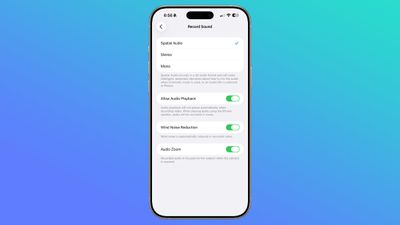
ios 26 4 audio zoom
In the Camera app's settings, there's a new "Audio Zoom" option. When enabled, it adjusts the recorded audio to focus on the subject as you zoom in while shooting video. The feature can be toggled on or off depending on your preference.

Easily Check Your Hotspot Data Usage
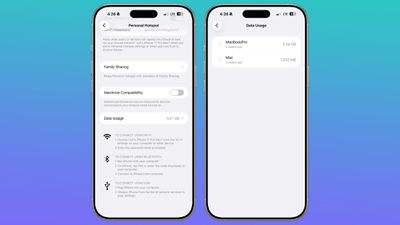
ios 26 4 hotspot data usage
Apple has moved hotspot data usage to a more convenient location. Instead of being tucked away under Cellular settings, usage metrics now appear directly in the Personal Hotspot section. The change should make it easier to keep tabs on how much data you're burning through when tethering.

Stolen Device Protection Is Now On by Default
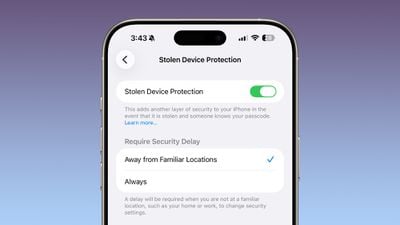
ios 26 4 stolen device protection
Stolen Device Protection, which Apple introduced back in 2023 to combat a wave of passcode-based iPhone thefts, is now enabled by default for all users in iOS 26.4. Previously, it was an opt-in feature. The setting requires Face ID or Touch ID authentication to access things like the Passwords app, Lost mode, and Safari purchases, and it imposes a one-hour security delay on certain changes.

Play Ambient Music From Your Home or Lock Screen
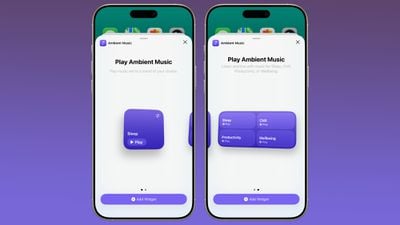
ios 26 4 ambient music widget
There's a new Ambient Music widget that can be added to both the Home Screen and Lock Screen. It lets you play built-in ambient soundscapes for sleep, focus, relaxation, and more, so you don't need a third-party app to achieve the same thing.

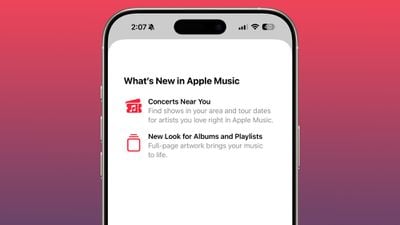
Find Concerts Near You in Apple Music
ios 26 4 apple music
Apple Music now has a "Concerts Near You" feature that surfaces local shows and tour dates for artists you listen to. The Music app also now has redesigned album and playlist pages with full-page artwork.

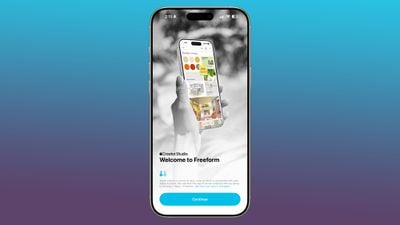
Access Freeform Creator Studio Features
ios 26 4 freeform creator studio
Freeform Creator Studio arrives with iOS 26.4, giving subscribers access to a dedicated Content Hub with shapes, graphics, photos, illustrations, and AI-based image creation and editing tools. The Freeform app also has a new icon.

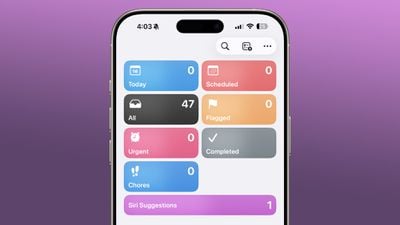
View Urgent Reminders in a Dedicated Section
ios 26 4 reminders app
The Reminders app now has an "Urgent" section that collects all reminders with the Urgent toggle enabled. These reminders come with an alarm that sounds when they're due, so you won't accidentally blow past them.

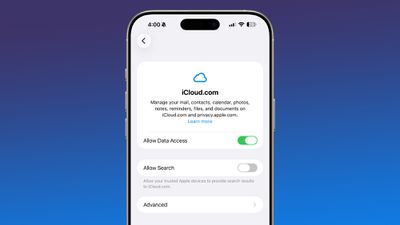
Manage iCloud Web Settings
ios 26 4 icloud web
There's a new "iCloud.com" option at the bottom of the iCloud settings page, which replaced the old "Access iCloud Data on the Web" toggle. It includes a new "Allow Search" setting that lets trusted Apple devices provide search results to iCloud.com.

Use a Unified Apple Account Hub
ios 26 4 apple account hub
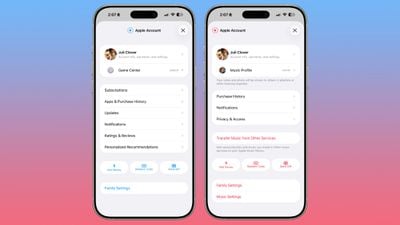
The App Store, Apple Music, and other Apple apps now feature a unified Apple Account hub in place of individual profile screens. The App Store specifically merges your apps and purchase history into one view and adds a dedicated section for app updates, although it now takes an extra tap to reach them. The search bar has also moved to the top of the screen.

Browse an Updated Wallpaper Gallery
ios 26 4 wallpaper gallery
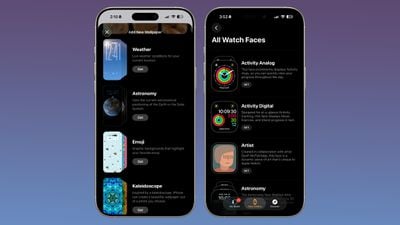
The Wallpaper Gallery has been redesigned, letting you browse and download wallpapers by category – Weather, Astronomy, Emoji, Colors, and more. The same design update applies to the Watch Face Gallery in the Apple Watch app.

Forward Notifications to Third-Party Wearables (EU)
ios 26 3 notification forwarding
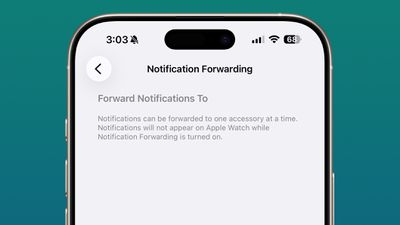
Notification Forwarding was tested in the iOS 26.3 beta but didn't ship in the final release, but now it's back in iOS 26.4. The feature lets iPhone users in the European Union forward notifications to a third-party wearable like an Android smartwatch. Bear in mind it's limited to one device at a time, so enabling it will disable notifications on your Apple Watch.

Access AI Chatbots in Carplay
Apple CarPlay iOS 26 Tight Crop
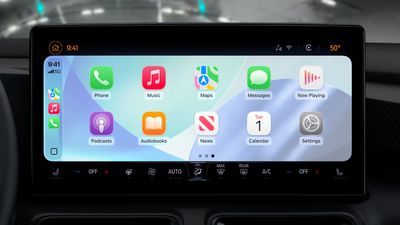
iOS 26.4 brings AI services like Claude, Gemini, and ChatGPT to CarPlay for the first time. The integration lets drivers ask questions hands-free through voice-based apps, though the chatbots won't be able to control vehicle or iPhone functions. There's no wake word support for third-party apps, so you'll need to manually launch one before using it. Once open, a vehicle-optimized voice control screen provides the chatbot experience. Note that third-party apps will need to add support for the feature.


Related Roundups: iOS 26, iPadOS 26
Related Forum: iOS 26

Popular Stories

iOS 27 Feature Dark

Apple Now Pushing iPhone Users Still on iOS 26 to Install iOS 27

Thursday October 8, 2026 1:17 pm PDT by
Starting today, iPhone users still running iOS 26 will see iOS 27.0.1 as the prominent software update in the Settings app under General → Software Update, with iOS 26.7.1 now relegated to a smaller "Also Available" section at the bottom. iOS 27 was released on September 14, but until now that update and later iOS 27.0.1 were shown under the "Also Available" section, with iOS 26.7 and...
apple lock security bug vulnerability fix privacy

iOS 26.7.1 Fixes Vulnerability Used in Targeted Attacks

Monday September 28, 2026 11:45 am PDT by
iOS 26.7.1, iPadOS 26.7.1, macOS Tahoe 26.7.1, and macOS Sequoia 15.8.1 address a major vulnerability that Apple believes was used against a small number of people. Apple's security support pages say there was a CoreGraphics out-of-bounds write issue that could be exploited with a maliciously crafted file, allowing for arbitrary code execution. It has been fixed with improved bounds...


iOS 27 Feature Warm

You Can No Longer Downgrade From iOS 27 to iOS 26

Monday September 21, 2026 3:25 pm PDT by
Apple is no longer signing iOS 26.6.2, so if you've upgraded to iOS 27, there is no option to downgrade to a version of iOS 26. iOS 27 came out a week ago. Software that is "signed" can pass a server-side verification check that Apple performs when a new version of iOS is downloaded. If an update fails the verification check, it can't be installed. By unsigning software, Apple prevents...
Latest Stories
Apple's October 28 'Pro and Tell' Launch: What's Coming
6 hours ago
Apple Limiting U.S. iPhone Duo Orders to Two Per Customer
7 hours ago
Apple Buys AI Audio Editing App Samplab
8 hours ago
EFF's Privacy Badger Anti-Tracking Extension Expands to Safari
9 hours ago
HomePod 27.2 Adds Sound Glow to Existing HomePod Models
10 hours ago
Apple Starts Moving Up iPhone Duo Delivery Dates
11 hours ago
tvOS 27.2 RC Lays Groundwork for HomePod Surround Sound
11 hours ago
Apple Says iPhone Duo Not Available on Walk-In Basis in Two Countries
12 hours ago
Apple Seeds macOS Golden Gate 27.2 Release Candidate to Developers
13 hours ago
Apple Releases iOS 27.2 Release Candidate
13 hours ago
Apple Seeds watchOS 27.2, tvOS 27.2 and visionOS 27.2 Release Candidates
13 hours ago
Samsung Slashes Prices on Frame TVs With Biggest Savings Yet for 2026 Models
13 hours ago
RIP, MacBook Ultra
RIP, MacBook Ultra
14 hours ago
Apple Announcing New Products Next Week: 'Pro and Tell'
14 hours ago
GM Says Apple Wallet Car Keys Coming to These Vehicles
16 hours ago
Amazon Offers $900 Off 2026 16-Inch MacBook Pro With M5 Max Chip
17 hours ago
Amazon Discounts New Mac Mini by Up to $149, Mac Studio by $200
1 day ago
Apple Expected to Release New Products on Next Four Fridays
2 days ago
Apple Reveals iPhone Duo's Battery Capacity
2 days ago
Apple Planning 'HomeView Max' With 9-Inch, 360-Degree Screen
2 days ago
Mark Gurman: Apple Made 'Major Mistake' With iPhone Duo Pre-Orders
2 days ago
Apple Retail Staff Told to Warn Against iPhone Duo Walk-In Purchases
2 days ago
Apple Hires Former Meta Lawyer to Oversee Global Litigation
2 days ago
Top Stories: Apple HomeView, New Apple TV and HomePod mini, and Sold-Out iPhone Duo
3 days ago
Verizon Will Charge $10 a Month for iPhone Handoff
3 days ago
Apple Calls iPhone Duo Demand 'Extraordinary' After Orders Slip to 2027
3 days ago
New App Store Rules Target AI Deepfakes and Nudify Apps
3 days ago
Didn't Pre-Order Apple's HomeView? Here's How Long the Wait is Now
3 days ago
Apple's $79 iPhone Duo Case Sticks On With Adhesive
3 days ago
Apple TV 4K and HomePod Mini Price Increases 'Much More Striking' Than New Features
4 days ago