

We've been experimenting with Apple Music for over a month now, but there are still a few important questions that pop up with the new music streaming service, the first being "How can I import my playlists from Spotify?"
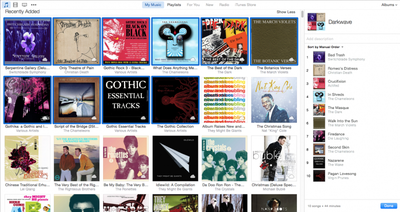
The short answer is that you can't without using third-party software. After much research, we've found there are two fairly reliable third-party services that work well. One is called STAMP, and the other is called Move to Apple Music. Both automatically search for and add tracks from Spotify to Apple Music so you don't have to manually go through your entire collection song-by-song. While the end result is pretty much the same, each app offers different features.
Before you get started, make sure you are logged into iTunes with your Apple ID and subscribed to Apple Music.
With both STAMP and Move to Apple Music, you can download the program from each company's website. Both apps must be given special permission to control your computer.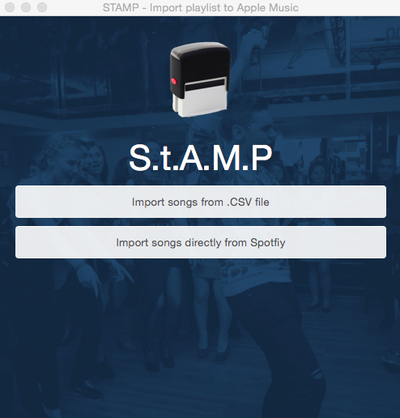
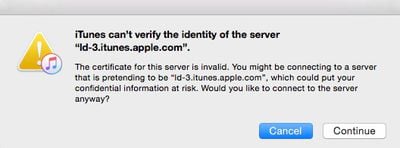
For STAMP, you have to allow the program to control your Accessibility features under the Security and Privacy tab in your Mac's System Preference. For Move to Apple Music, you will be prompted to first "like" a song by clicking the heart icon next to it. You will then receive a series of alerts saying that the certification is invalid. If you click "continue each time the alert pops up, eventually, you will grant access for the program to intercept your iTunes data and replicate the action of clicking the "Add to My Music" button.
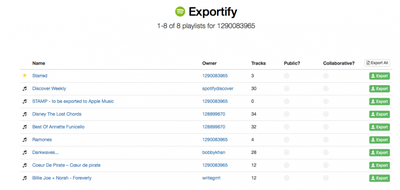
STAMP allows you to import any .CSV file that you've downloaded to your computer. So, whether you use Spotify, Rdio, or another music streaming service to create playlists, you can export anything that works with Exportify and then import them through this program. Move to Apple Music only allows you to move playlists from Spotify or Rdio.
However, Move to Apple Music does not lock you out of your computer while it is finding and adding tracks to your music library. The process of finding songs using these third-party apps can take hours. STAMP takes over control of your keyboard and mouse during the import process. Move to Apple Music runs in the background so you can continue to use your computer while it runs.
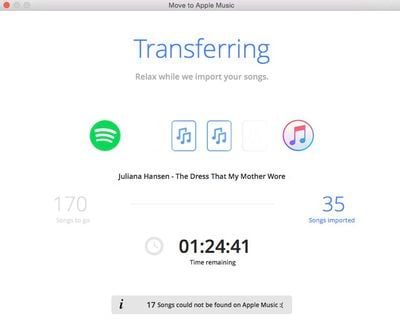
Neither app recreates the playlist directly into your music library. They find and add tracks from Apple Music automatically. You must manually create a playlist after the tracks are added.
Both apps were not able to import every song from every playlist. However, they both were just about 70 percent accurate. The error is most likely due to Apple Music not supporting certain songs, or they are listed different in Spotify or Rdio than they are listed on Apple Music, and therefore cannot be found.
Troubleshooting
In STAMP:
If you get a message that reads "No Assistive Access" you may need to start over.
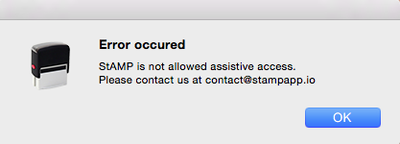
- De-select STAMP from being able to control your Accessibility features by clicking on the remove (-) button.
- Quit both the STAMP app and iTunes.
- Restart your computer.
- Open the STAMP app again.
- Re-enable the app to control your Accessibility features.
- Continue with step three above.
If you get a message that reads "Can't get window 1 of process 'iTunes.' Invalid Index," try restarting iTunes and the STAMP app. I received that error a number of times and I just kept retrying until it eventually worked.
In Move to Apple Music:
When importing playlist files to iTunes, if you receive an error message that the .txt file is not a valid format.
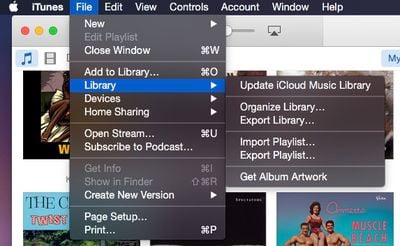
- Create a random playlist in iTunes
- Export the playlist you wish to add as a plain text file by accessing File in iTunes, selecting Library, and then selecting Export playlist.
- Open the file in TextEdit and reduce the size of the font.
- Copy the first line (name, album, artist). Then, open all exported playlists by Move to Apple Music.
- Replace the first line of each playlist with the line you previously copied.
- Save the files.
- Try to import the tracks in iTunes again.
If you lose your Internet connection while the program is capturing your iTunes session, you may need to cancel and restart. You could, however, wait until the session capture is complete if you don't need the Internet while it is processing.
For now, these third-party apps simply act as a workaround for allowing you to move your playlists from streaming music services like Spotify and Rdio to Apple Music. However, unless Apple adds a native feature, there are not many other options available and these two programs seem to work the best so far.





















Top Rated Comments
Apple Music is bloated. Spotify is super simple! Apple music streams have lag times Spotify doesn't. Spotify has easy to make folders and subfolders and easy to go from song to ALL of that artist's music and apple music doesn't.
I don't need a super celeb radio station. I just need what I want to hear. Radio is so, you know. Why would I want to hear constant one-liners from these cele Djs? Don't get it. Quick the babble, play the music.