How to Add Photos to Playlists in Apple Music - MacRumors
Skip to Content

How to Add Photos to Playlists in Apple Music

by

Once you've created a playlist in Apple Music, adding a cover image of your own is easy. Here's how to do it.
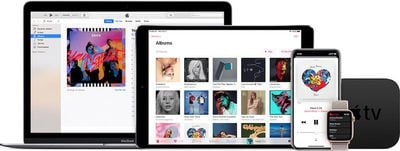
apple music devices

Add a Photo to a Playlist on iPhone and iPad

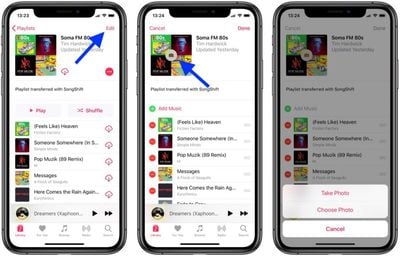
  1. Launch the Music app on your iOS device and navigate to the playlist you want to add a picture to.
  2. Tap Edit in the upper right corner of the screen.
  3. Tap the cover image.
    add a photo to a playlist in apple music

  4. Choose Take Photo or Choose Photo from the pop-up menu.
  5. Take the photo with your device's camera, or choose a photo from your photo albums.
  6. Tap Done.

Add a Photo for a Playlist on Your Computer

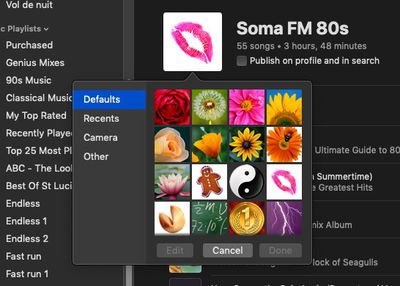
  1. Open iTunes on your computer and click the playlist in the sidebar that you want to add a photo to.
  2. Click the main cover image in the playlist.
    add photo to playlist itunes apple music

  3. Click Camera in the pop-up pane to take a photo with your computer's camera, or click Other to locate a photo on your hard disk. You can also click Recents to find a recent photo you used or Defaults to select an Apple profile picture.
  4. Click Done.

Popular Stories

apple music

Apple Music to Label AI-Generated Songs

Thursday August 20, 2026 4:41 pm PDT by
Apple sent emails to its music industry partners about the upcoming launch of a Made With AI label that Apple will apply to AI-generated content (via The Hollywood Reporter). Content tagged as being "materially generated using AI" will have a label visible to all Apple Music users. In March, Apple announced Transparency Tags, a system that lets music creators disclose when AI has been...
iphone duo

Apple Announces Foldable 'iPhone Duo'

Wednesday September 9, 2026 10:56 am PDT by
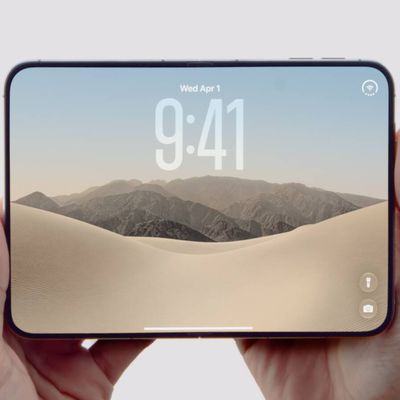
Apple today announced the "iPhone Duo," a new kind of iPhone featuring two screens and a foldable inner display. The two halves of the iPhone Duo connect into a single continuous frame with the same aspect ratio across both displays, and Apple said the transition between open and closed is designed to feel fluid. When fully open, Apple says it is the thinnest iPhone ever made, with an...
Surprise and Shine Live Coverage Article

Apple Event Live Blog: iPhone Duo, iPhone 18 Pro, and More

Wednesday September 9, 2026 9:10 am PDT by
Apple's "Surprise and Shine" event kicks off today at 10:00 a.m. Pacific Time, where we're expecting to see the foldable iPhone Duo, the iPhone 18 Pro and Pro Max, Apple Watch Series 12 and Ultra 4 models, new AirPods 5 earphones, and perhaps some other announcements. Apple is providing a live video stream on its website, on YouTube, and in the company's TV app across various platforms. We...