iOS 15: How to Use Siri Offline - MacRumors
Skip to Content

iOS 15: How to Use Siri Offline

by

In iOS 15, Apple moved all Siri speech processing and personalization onto your device, making the virtual assistant more secure and faster at processing requests. This also means ‌Siri‌ can now handle a range of requests entirely offline.
iOS 15 Siri Feature
Once you're using iOS 15, you don't need to enable anything for ‌Siri‌ to work offline. The types of requests that it can handle without phoning home to Apple's servers include the following:

  • Create and disable timers and alarms.
  • Launch apps.
  • Control Apple Music and Podcasts audio playback.
  • Control system settings including accessibility features, volume, Low Power mode, Airplane mode, and so on.

If you don't have a cellular data or Wi-Fi connection and you ask ‌Siri‌ to do anything that requires internet access – such as messaging someone, weather updates, or playing streamed content – you'll get the response like "To do that, you'll need to be online" or "I can help with that when you're connected to the internet."
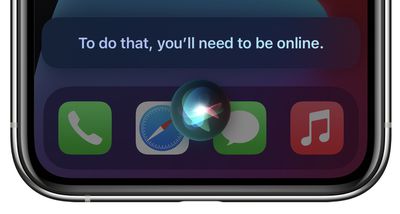
siri offline ios 15
For all the details on what else ‌Siri‌ can do that's new in iOS 15, be sure to check out our dedicated guide.

Related Forum: iOS 15

Popular Stories

WWDC26 MR Live Coverage Article

WWDC 2026 Apple Event Live Keynote Coverage: iOS 27, Revamped Siri, and More

Monday June 8, 2026 9:15 am PDT by
Apple's Worldwide Developers Conference (WWDC) starts today with the traditional keynote kicking things off at 10:00 a.m. Pacific Time. MacRumors is on hand for the event and we'll be sharing details and our thoughts throughout the day. We're expecting to see a number of software-related announcements today, headlined by a reset on Apple's push into AI that should see a significant overhaul...


Siri AI

Apple Announces 'Siri AI' at WWDC 2026

Monday June 8, 2026 10:52 am PDT by
Apple today announced a significantly revamped Siri at WWDC 2026, rebranding it as "Siri AI" and unveiling out a wave of new capabilities spanning conversational depth, system-wide integration, and a redesigned interface across platforms. Apple framed the update with the acknowledgment that "there are times when you expect more from Siri." The company is describing the redesigned assistant...
macOS Golden Gate Search or Ask

Rich Siri Conversations in macOS 27 Can Be Started in Spotlight

Monday June 8, 2026 10:53 am PDT by
In macOS 27, Siri's new chatbot capabilities can be accessed straight from Spotlight, Apple announced today. During its WWDC 2026 keynote, Apple revealed that Siri's rich conversational experience can be started right inside the Spotlight prompt, accessed via Command + Space, bringing in context and chat history on the fly. Conversation history is synced via iCloud, so you can go from...