'Cameras': Customizing OS X Automatic App Launching for Multiple Cameras [Updated]
Cameras, a new application for Mac OS X from Flexibits, allows users with multiple cameras to customize OS X's automatic application launches on a camera-by-camera (and even iPhone) basis.
Do you have multiple cameras?
Do you spend time quitting iPhoto every time you connect your iPhone?
Wish you could have your DSLR open Aperture and have iPhoto launch when you connect your point-and-shoot camera?
If so, Cameras is the solution you've been waiting for.
With familiar System Preference functionality, Cameras allows you to manage what happens when you connect your:
- Digital camera
- iPhone
- Digital media reader
- Any photo device
The application also provides the ability to specify whether or not images are automatically downloaded from a given device when it is connected to the user's computer.
Cameras comes with a free 14-day trial period, and a full license is priced at $9.95.
Update: Flexibits has temporarily removed Cameras and will soon be offering the application for free.
Update 2: Cameras is now a free download.
Popular Stories
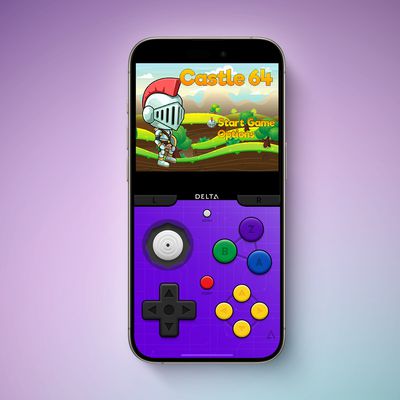
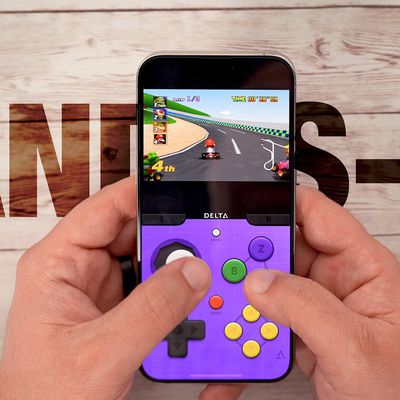
Game emulator apps have come and gone since Apple announced App Store support for them on April 5, but now popular game emulator Delta from developer Riley Testut is available for download. Testut is known as the developer behind GBA4iOS, an open-source emulator that was available for a brief time more than a decade ago. GBA4iOS led to Delta, an emulator that has been available outside of...
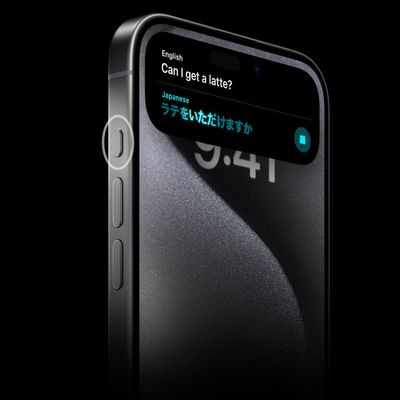
Last September, Apple's iPhone 15 Pro models debuted with a new customizable Action button, offering faster access to a handful of functions, as well as the ability to assign Shortcuts. Apple is poised to include the feature on all upcoming iPhone 16 models, so we asked iPhone 15 Pro users what their experience has been with the additional button so far. The Action button replaces the switch ...
A decade ago, developer Riley Testut released the GBA4iOS emulator for iOS, and since it was against the rules at the time, Apple put a stop to downloads. Emulators have been a violation of the App Store rules for years, but that changed on April 5 when Apple suddenly reversed course and said that it was allowing retro game emulators on the App Store. Subscribe to the MacRumors YouTube channel ...
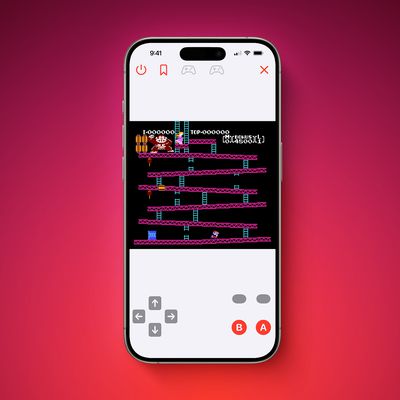
The first approved Nintendo Entertainment System (NES) emulator for the iPhone and iPad was made available on the App Store today following Apple's rule change. The emulator is called Bimmy, and it was developed by Tom Salvo. On the App Store, Bimmy is described as a tool for testing and playing public domain/"homebrew" games created for the NES, but the app allows you to load ROMs for any...
The lead developer of the multi-emulator app Provenance has told iMore that his team is working towards releasing the app on the App Store, but he did not provide a timeframe. Provenance is a frontend for many existing emulators, and it would allow iPhone and Apple TV users to emulate games released for a wide variety of classic game consoles, including the original PlayStation, GameCube, Wii,...