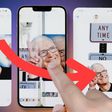
Keynote 4 Preview? Core Animation?
Brian Peat of Keynoteuser spent some time closely following Steve Jobs' version of the Apple Keynote presentation software during his Macworld Expo Keynote speech and provides a detailed breakdown of possible new features for the next version of Keynote. Interesting potential features include:
- New transitions, possibly Core Animation dependent:
Seeing the new animation makes us think we might have to wait until Leopard ships (remember its got Core Animation) before we see a new version of Keynote.
- Path animation? Several examples of possible Path animation.
This has not been the first time that there have been suggestions that Apple's Keynote and iWork '07 applications may be dependent on Mac OS X 10.5 Leopard and specifically Core Animation.
Apple first announced Core Animation when they previewed Leopard at WWDC 2006:
Using Core Animation, Mac developers can create snazzy animations in their programs using different media types, such as text, 2D graphics, OpenGL renderings, and video, simultaneously. Core Animation dynamically renders these media layers together, complete with transparency effects and Core Image filter and effects. When content changes, Core Animation updates it, automatically.
Core Animation is also used on the Apple iPhone and has been rumored to be utilized in Apple's upcoming Mac OS X 10.5 Leopard Finder, which has not yet been revealed. Indeed, Steve Jobs claimed to be holding back several "Top Secret" features of Leopard when it was first previewed at WWDC 2006. Several developers have noted that Apple's Finder has been untouched in all of the public previews of Mac OS X Leopard, suggesting a more substantial refresh will be announced later.
Popular Stories
Apple has stopped production of FineWoven accessories, according to the Apple leaker and prototype collector known as "Kosutami." In a post on X (formerly Twitter), Kosutami explained that Apple has stopped production of FineWoven accessories due to its poor durability. The company may move to another non-leather material for its premium accessories in the future. Kosutami has revealed...
The lead developer of the multi-emulator app Provenance has told iMore that his team is working towards releasing the app on the App Store, but he did not provide a timeframe. Provenance is a frontend for many existing emulators, and it would allow iPhone and Apple TV users to emulate games released for a wide variety of classic game consoles, including the original PlayStation, GameCube, Wii,...
The upcoming iOS 17.5 update for the iPhone includes only a few new user-facing features, but hidden code changes reveal some additional possibilities. Below, we have recapped everything new in the iOS 17.5 and iPadOS 17.5 beta so far. Web Distribution Starting with the second beta of iOS 17.5, eligible developers are able to distribute their iOS apps to iPhone users located in the EU...
Apple Vision Pro, Apple's $3,500 spatial computing device, appears to be following a pattern familiar to the AR/VR headset industry – initial enthusiasm giving way to a significant dip in sustained interest and usage. Since its debut in the U.S. in February 2024, excitement for the Apple Vision Pro has noticeably cooled, according to Bloomberg's Mark Gurman. Writing in his latest Power On...
It was a big week for retro gaming fans, as iPhone users are starting to reap the rewards of Apple's recent change to allow retro game emulators on the App Store. This week also saw a new iOS 17.5 beta that will support web-based app distribution in the EU, the debut of the first hotels to allow for direct AirPlay streaming to room TVs, a fresh rumor about the impending iPad Air update, and...