Bluetooth 1.4.1 for Mac OS X provides enhanced stability for Bluetooth connections. This release also improves performance with human interface devices (HID) including enhancements to wake from sleep.
iOS 18 is expected to be the "biggest" update in the iPhone's history. Below, we recap rumored features and changes for the iPhone. iOS 18 is rumored to include new generative AI features for Siri and many apps, and Apple plans to add RCS support to the Messages app for an improved texting experience between iPhones and Android devices. The update is also expected to introduce a more...
Wednesday April 17, 2024 9:58 am PDT by Juli Clover
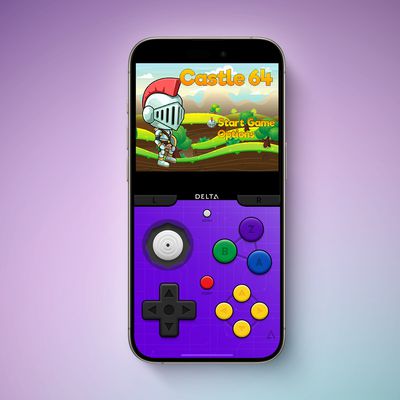
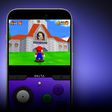
Game emulator apps have come and gone since Apple announced App Store support for them on April 5, but now popular game emulator Delta from developer Riley Testut is available for download. Testut is known as the developer behind GBA4iOS, an open-source emulator that was available for a brief time more than a decade ago. GBA4iOS led to Delta, an emulator that has been available outside of...
Tuesday April 16, 2024 11:33 am PDT by Joe Rossignol
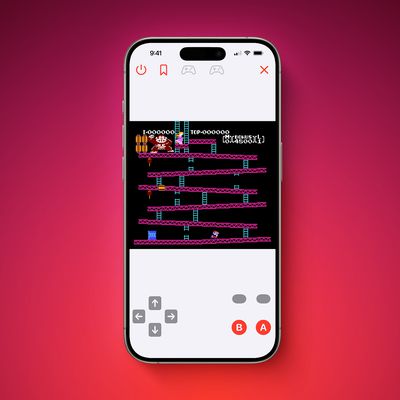
The first approved Nintendo Entertainment System (NES) emulator for the iPhone and iPad was made available on the App Store today following Apple's rule change. The emulator is called Bimmy, and it was developed by Tom Salvo. On the App Store, Bimmy is described as a tool for testing and playing public domain/"homebrew" games created for the NES, but the app allows you to load ROMs for any...
Apple today said it removed Game Boy emulator iGBA from the App Store for violating the company's App Review Guidelines related to spam (section 4.3) and copyright (section 5.2), but it did not provide any specific details. iGBA was a copycat version of developer Riley Testut's open-source GBA4iOS app. The emulator rose to the top of the App Store charts following its release this weekend,...
Tuesday April 16, 2024 6:54 am PDT by Tim Hardwick
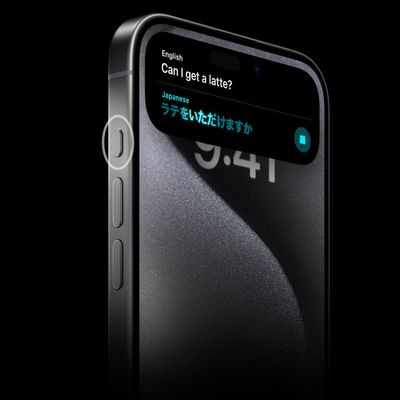
Last September, Apple's iPhone 15 Pro models debuted with a new customizable Action button, offering faster access to a handful of functions, as well as the ability to assign Shortcuts. Apple is poised to include the feature on all upcoming iPhone 16 models, so we asked iPhone 15 Pro users what their experience has been with the additional button so far. The Action button replaces the switch ...
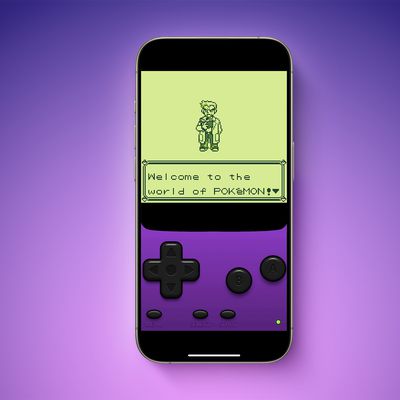
A week after Apple updated its App Review Guidelines to permit retro game console emulators, a Game Boy emulator for the iPhone called iGBA has appeared in the App Store worldwide. The emulator is already one of the top free apps on the App Store charts. It was not entirely clear if Apple would allow emulators to work with all and any games, but iGBA is able to load any Game Boy ROMs that...